Alarm integration in live video is the process of connecting intrusion detection sensors directly to camera systems so that monitoring operators can visually verify threats the moment an alarm triggers. It transforms raw sensor data into actionable intelligence, replacing assumption-based response with evidence-based intervention.
This guide covers how alarm-to-video integration works at a technical level, which sensor types to pair with live cameras, how to map alarm zones to camera views, strategies for reducing false triggers, priority and escalation configuration, network infrastructure requirements, testing and maintenance routines, compliance standards, and how proactive monitoring elevates the entire strategy.
Alarm-to-video integration relies on standardized protocols like SIA DC-09 and Ademco Contact-ID to encode sensor events into digital messages that video management software can interpret and act on. Alarm receivers serve as the gateway between panel signals and VMS platforms, and proper configuration of this pipeline determines whether operators see the right camera feed within seconds of a trigger.
Sensor selection spans intrusion detectors, perimeter beams, access control contacts, fire and environmental monitors, and glass break sensors, each triggering camera verification differently. Mapping these sensors to specific camera views through consistent naming conventions and zone hierarchies keeps response fast and audit-ready.
AI-powered video analytics can filter over 90% of false alarms, while cross-trip verification and environmental calibration address the triggers that software alone cannot catch. Tiered priority levels with compressed escalation timelines ensure critical events receive immediate operator attention and dispatch.
Reliable integration depends on sufficient upload bandwidth per camera, sub-one-second panel-to-VMS latency, and redundant network paths that prevent single points of failure. Regular walk tests, preventive maintenance, and log audits keep every sensor-to-camera link performing under real conditions, while compliance with UL 2050 and ANSI/SIA CP-01-2019 satisfies regulatory and insurance requirements.
Why Does Alarm Integration Matter for Live Video Monitoring?
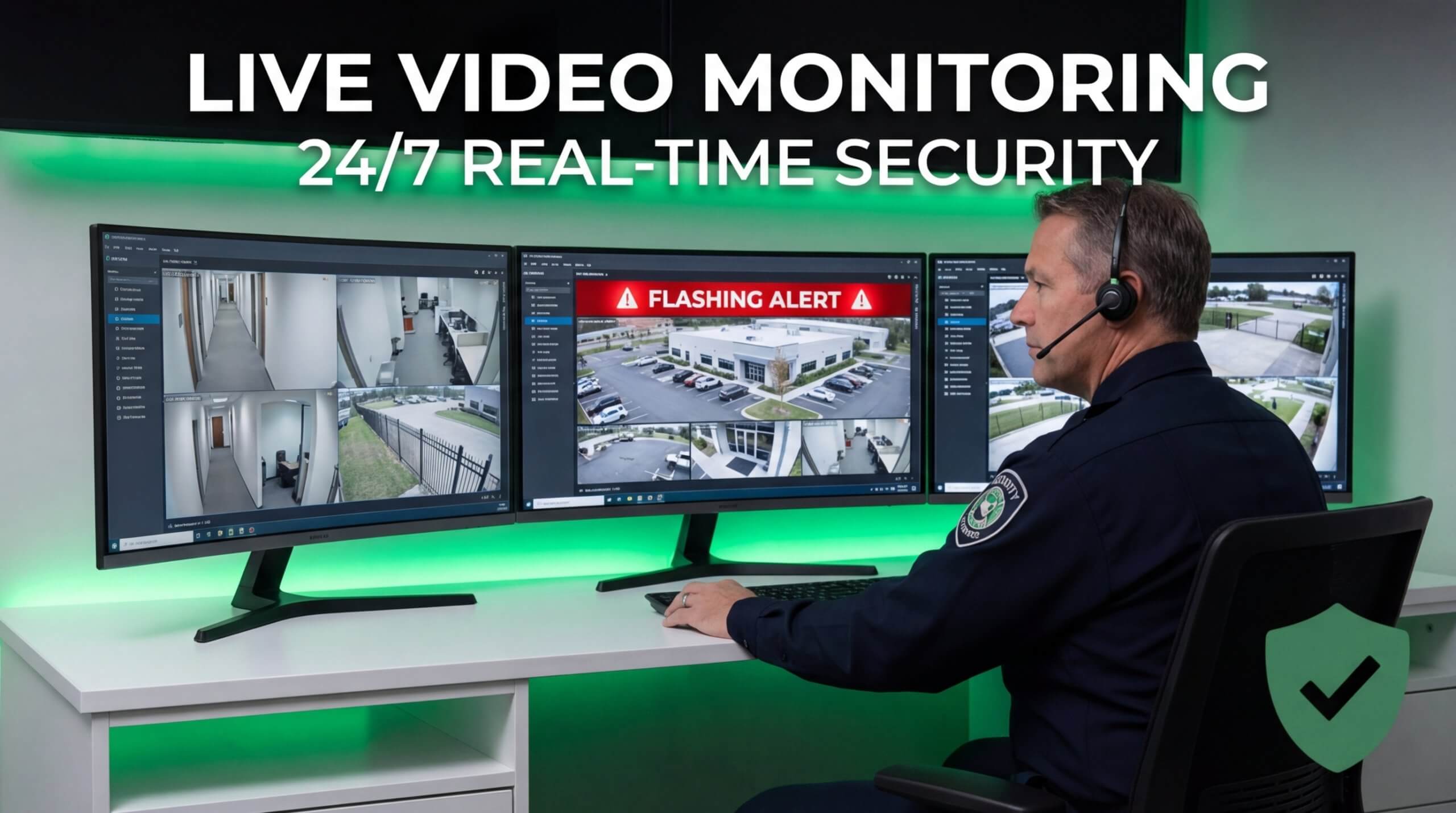
Alarm integration matters for live video monitoring because it connects intrusion detection sensors directly to camera systems, enabling operators to verify threats visually the moment an alarm triggers. Without this connection, monitoring teams rely on alarm signals alone, which lack the context needed for accurate threat assessment. Integrated systems allow agents at a monitoring center to view security camera footage in real time, confirm what activated the alarm, and determine the appropriate response before contacting local authorities.
This shift from reactive to proactive security has reshaped the industry. Around 73% of emergency dispatch centers currently utilize video verification before sending patrol units to an alarm event, according to A2Z Market Research. That statistic reflects a fundamental change in how law enforcement prioritizes responses; verified alarms receive faster dispatch because officers know the threat is genuine. For facilities relying on live video monitoring, alarm integration transforms raw sensor data into actionable intelligence that operators can assess within seconds.
The financial stakes reinforce why integration cannot be treated as optional. Cities like San Jose have increased false alarm fines to $75 for third-time offenders in 2026, up from $25, as municipalities push to reduce unnecessary police dispatches. AI-based video analytics software can filter out 90% or more of false alarms by managing the repetitive task of identifying false triggers, freeing human operators to focus on genuine activations. Combined with proper alarm integration, these tools dramatically reduce liability while improving response accuracy.
The global video surveillance market reached a valuation of $33.8 billion in 2024 and is forecast to grow to nearly $48 billion by 2030, according to Memoori. That growth is driven largely by integrated systems where alarms, cameras, and analytics work as a unified platform rather than isolated components. For any organization investing in live video monitoring, alarm integration is the foundational layer that determines whether the system prevents incidents or merely records them.
How Does Alarm-to-Video Integration Actually Work?
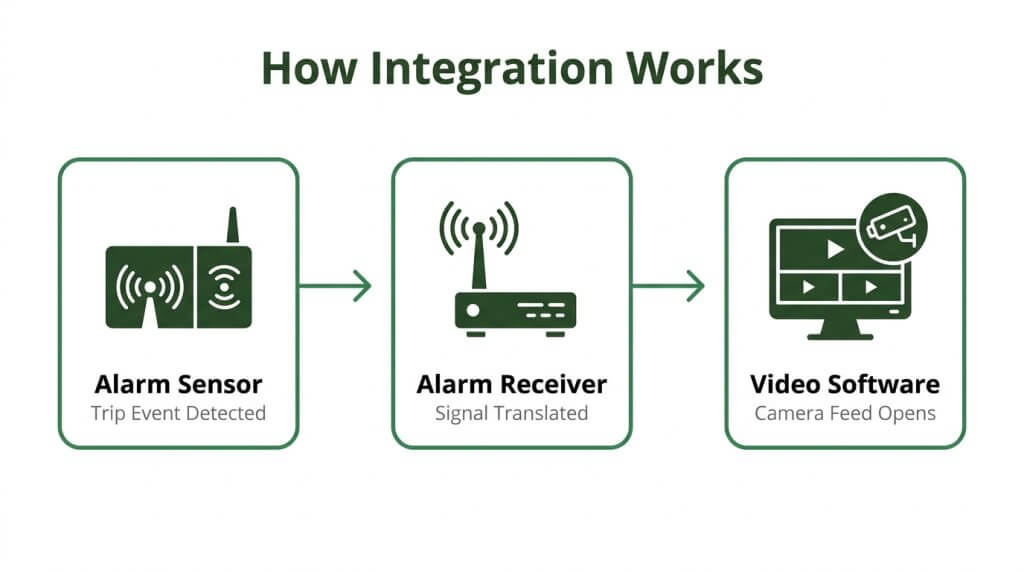
Alarm-to-video integration works by connecting intrusion detection panels to video management software through standardized communication protocols. The subsections below explain the verification event sequence, the protocols that relay alarm data, and the receiver’s role in the pipeline.
What Happens During an Alarm-Triggered Video Verification Event?
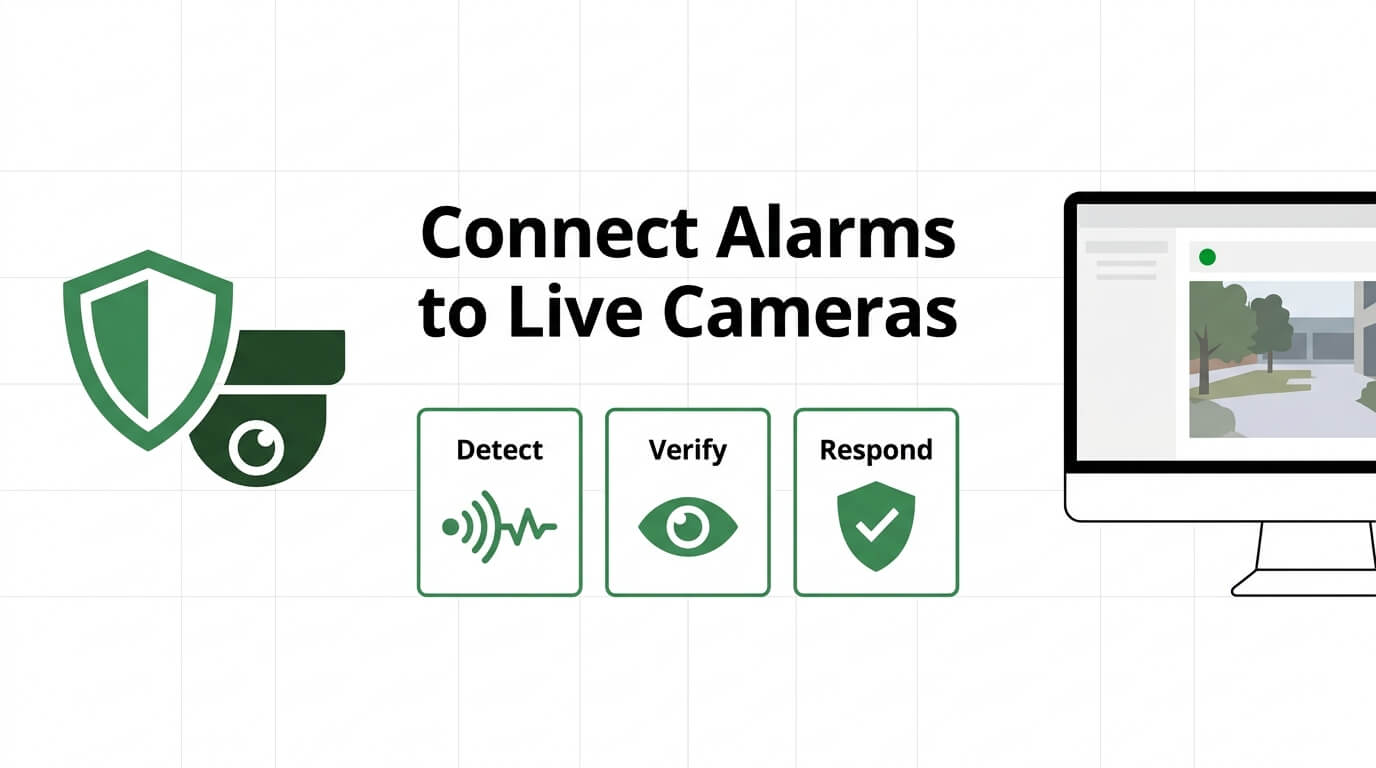
An alarm-triggered video verification event begins when a sensor detects a breach and signals the monitoring center, which instantly pulls live camera footage from the triggered zone. Monitoring agents view the footage in real time to confirm whether a genuine threat exists before contacting local authorities. This verification step prevents unnecessary police dispatches and speeds response to actual incidents.
According to A2Z Market Research, around 73% of emergency dispatch centers currently utilize video verification before sending patrol units to an alarm event to confirm the presence of a genuine threat. That adoption rate reflects a broader industry shift toward evidence-based response, where visual confirmation replaces assumption. For high-value commercial sites, this workflow significantly reduces liability tied to unverified dispatches.
How Do Contact-ID and SIA Protocols Relay Alarm Data to Video?
Contact-ID and SIA protocols relay alarm data to video systems by encoding alarm events into standardized digital messages that video management platforms can interpret and act on. According to the Security Industry Association, the SIA DC-09 standard details the protocol to report events from premises equipment to a central station using IP, supporting message data formats such as SIA-DCS and ADM-CID (Ademco Contact-ID).
These protocols ensure that when a sensor trips, the alarm panel transmits a coded event containing the zone number, event type, and partition identifier. The VMS receives this data and automatically queues the corresponding camera feed. Complementing this, the ANSI/SIA CP-01-2019 standard reduces false alarm dispatches through technical enhancements built into intrusion detection equipment. Pairing both standards creates a reliable, low-noise communication chain between alarm hardware and video software.
What Role Does an Alarm Receiver Play in the Integration Pipeline?
An alarm receiver plays the role of translator and gateway in the integration pipeline, converting encoded alarm panel signals into events that video management software can process and display. Without it, the VMS has no way to interpret incoming alarm data or associate it with specific camera views.
In VMS platforms like Genetec Security Center, alarm receivers must be added to the Intrusion Manager role as intrusion detection units to monitor events from alarm receivers in the Security Desk interface, according to Genetec’s integration documentation. This configuration links each receiver to its assigned zones and cameras, so operators see the correct footage the moment an alarm fires. Proper receiver setup is arguably the most overlooked step in integration projects; a misconfigured receiver silently breaks the entire alarm-to-video chain.
With the integration pipeline established, selecting the right alarm sensors determines what events enter this workflow.
What Types of Alarm Sensors Should You Integrate with Live Video?
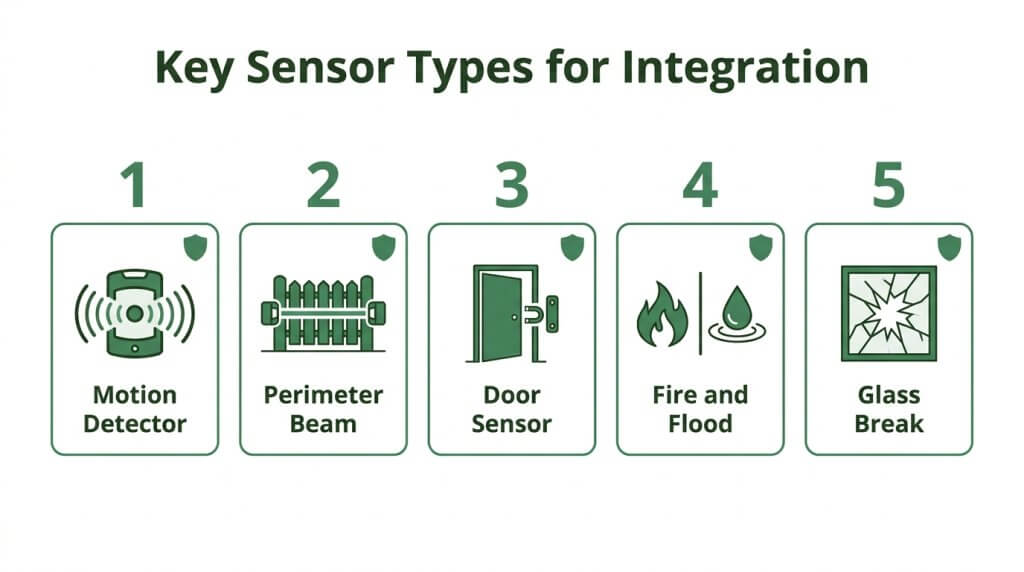
The types of alarm sensors you should integrate with live video include intrusion detectors, perimeter beam and fence sensors, access control contacts, fire and environmental monitors, and glass break sensors. Each sensor type triggers camera verification differently.
Intrusion Detection Sensors
Intrusion detection sensors are the foundational layer of any alarm-to-video integration. These sensors, including passive infrared (PIR) motion detectors and dual-technology units, trigger linked cameras to stream live footage the moment movement is detected inside a protected zone. Monitoring center agents then verify whether the activation represents a genuine threat before dispatching authorities.
According to UL Solutions, UL 2050 describes the technical requirements for national industrial security system certification, detailing the intrusion detection elements needed to coordinate with related security measures. Pairing intrusion sensors with video verification eliminates the guesswork that leads to wasted police resources and delayed response to real break-ins.
Perimeter Beam and Fence Sensors
Perimeter beam and fence sensors detect threats at the property boundary before an intruder reaches a building. Active infrared beams create invisible tripwires across open spaces, while fence-mounted sensors register climbing or cutting attempts.
According to Avigilon, perimeter security systems often utilize seismic sensors installed within specific vulnerable areas to detect vibrations caused by an attempted breach. When these sensors trigger, linked cameras can pan to the exact breach point, giving live monitoring operators a clear visual of the threat. For large commercial sites, perimeter sensors paired with video provide the earliest possible intervention window.
Access Control Door and Gate Sensors
Access control door and gate sensors monitor entry points such as secured doors, loading docks, and vehicle gates. Door position contacts detect forced entry or doors held open beyond a set duration, while gate sensors track unauthorized vehicle access. When an access event falls outside normal parameters, the integrated system pulls live video from the nearest camera. Operators can then verify whether the event is an employee propping a door open or an unauthorized individual forcing entry. This sensor type is especially valuable for facilities with multiple controlled entry points that require constant visual confirmation.
Fire and Environmental Alarm Sensors
Fire and environmental alarm sensors protect against non-intrusion threats such as smoke, heat, flooding, and hazardous gas leaks. When a smoke detector or temperature sensor activates, integrated cameras provide immediate visual context. Monitoring operators can confirm whether visible smoke or flames are present, which directly impacts how they communicate the situation to fire dispatch. Environmental sensors covering water leaks or extreme temperature changes serve a similar verification role in data centers, warehouses, and cold storage facilities. Integrating these sensors with video ensures faster, more accurate emergency response across threat categories beyond intrusion.
Glass Break and Vibration Sensors
Glass break and vibration sensors detect forced entry through windows and glass-panel doors. According to Kisi, common alarm sensors suitable for integration include glass break sensors that detect vibrations in the glass surface they are connected to, alongside door position sensors, motion detectors, smoke and fire sensors, and gunshot detectors. When a glass break sensor triggers, the paired camera captures the entry point within seconds.
Vibration sensors serve a complementary role on walls, safes, and structural barriers where physical tampering may occur. For facilities with large glass storefronts or ground-floor windows, these sensors provide a critical early trigger that gives live monitoring operators visual confirmation before an intruder fully enters the space.
With sensor types defined, the next step is mapping each one to the right camera view.
How Should You Map Alarm Zones to Camera Views?
You should map alarm zones to camera views by assigning each sensor zone a primary camera, defining rules for overlapping coverage, and applying consistent naming conventions. The following subsections cover each step.
How Do You Assign Specific Cameras to Individual Alarm Zones?
You assign specific cameras to individual alarm zones by creating a one-to-one linkage inside your VMS so that each zone trigger automatically pulls up the most relevant camera feed. Start by listing every alarm zone, including door contacts, motion detectors, and glass break sensors, alongside its physical location. Then identify the camera whose field of view best covers that location.
For each pairing, configure the VMS to pop up the assigned camera when that zone activates. This gives monitoring operators an instant visual of the exact area that triggered the alarm, eliminating manual camera searching and cutting verification time significantly. Prioritize fixed cameras over PTZ units for primary assignments, since a fixed lens guarantees the target area is always in frame.
How Should You Handle Zones Covered by Multiple Cameras?
You should handle zones covered by multiple cameras by designating one camera as the primary view and ranking additional cameras as secondary feeds in your VMS configuration. The primary camera should offer the widest, most direct angle of the zone, while secondary cameras provide supplemental perspectives, such as a closer facial-capture angle or an adjacent corridor view.
Configure your VMS to display the primary feed first on alarm activation, with secondary views accessible in a tiled layout or sequential pop-up. This layered approach is especially valuable for high-traffic areas like lobbies or loading docks where a single angle may miss critical context. Clearly document each zone’s camera hierarchy so operators and maintenance technicians know which feed takes priority during a live event.
What Naming Conventions Keep Zone-to-Camera Maps Clear?
Naming conventions that keep zone-to-camera maps clear reflect physical locations and use consistent logic across every device. According to The Boring Lab’s guidance on large video security systems, best practices for zone naming suggest incorporating building identifiers, floor levels, and directional references to ensure easier management and emergency response.
A practical format follows a structured pattern:
- Building prefix: A short code for the facility, such as “HQ” or “WH2.”
- Floor or area: A number or label like “F1” or “LOT.”
- Device type: An abbreviation such as “CAM” for camera or “MOT” for motion sensor.
- Sequence number: A unique digit distinguishing devices in the same area.
An example pairing might read “HQ-F1-MOT-03” linked to “HQ-F1-CAM-02.” With clear naming in place, configuring alarm priority and escalation rules becomes far more manageable.
What Are the Best Practices for Reducing False Alarm Triggers?
The best practices for reducing false alarm triggers include deploying AI video analytics, calibrating sensor sensitivity to site conditions, and using cross-trip verification between sensors.
How Does AI Video Analytics Filter Nuisance Alarms?
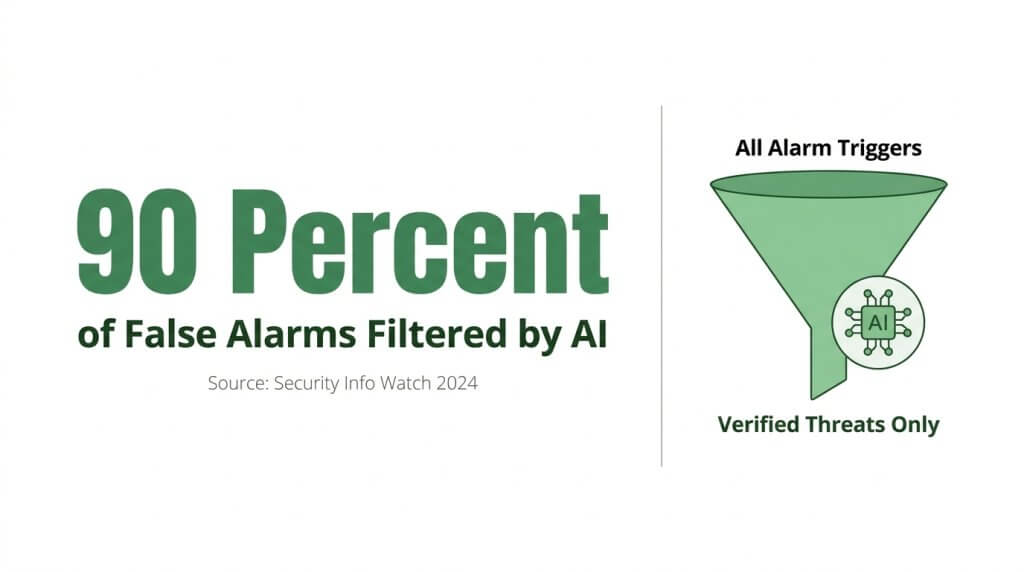
AI video analytics filters nuisance alarms by automating the identification of common false triggers before they reach human operators. The software distinguishes animals, shifting shadows, wind-blown debris, and other benign motion from genuine security events in real time. According to a 2024 Security Info Watch report, AI-based video analytics can filter out 90% or more of false alarms by managing the repetitive task of identifying false triggers, enabling human operators to focus on genuine activations. This level of automated filtering is one of the most cost-effective upgrades any integrated alarm-video system can receive, since it addresses the root cause of operator fatigue and unnecessary dispatches simultaneously.
How Should You Calibrate Sensor Sensitivity to Match the Environment?
You should calibrate sensor sensitivity to match the environment by adjusting detection thresholds based on site-specific conditions. Indoor sensors in climate-controlled spaces can run at higher sensitivity levels, while outdoor motion detectors near trees, HVAC units, or loading docks need reduced sensitivity to avoid triggering on routine movement. Key calibration steps include:
- Conduct a baseline test during normal operating hours to identify recurring false triggers.
- Adjust PIR motion detector range and angle to exclude high-traffic zones that fall outside the protected area.
- Set environmental compensation modes for sensors exposed to temperature swings or direct sunlight.
- Revisit sensitivity settings seasonally, since foliage growth and weather patterns change detection conditions.
Proper calibration requires on-site testing rather than relying on factory defaults, which rarely account for real-world variables.
When Should You Use Cross-Trip Verification Between Sensors?
Cross-trip verification should be used between sensors when a single detection point produces frequent false alarms despite proper calibration. This method requires two or more sensors in the same zone to activate within a defined time window before the system generates an alarm event. Pairing a motion detector with a door contact sensor, for example, confirms that detected movement coincides with an actual entry. Cities like San Jose have increased false alarm fines to $75 for third-time offenders in 2026, up from $25, making verification logic a financial necessity alongside an operational one. Cross-trip verification is especially valuable in high-activity environments like warehouses and retail spaces where single-sensor triggers alone lack reliability.
With false alarm reduction strategies in place, configuring alarm priority rules ensures the right events receive immediate attention.
How Should You Configure Alarm Priority and Escalation Rules?
You should configure alarm priority and escalation rules by tiering events into a limited number of severity levels, assigning response timelines to each tier, and defining who receives notifications as incidents escalate.
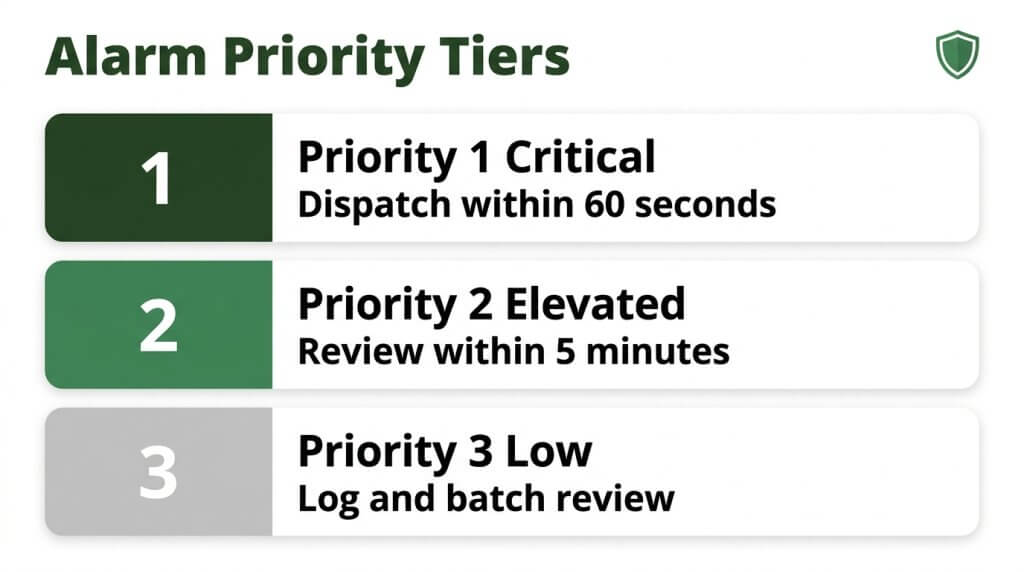
How Do You Tier Alarm Events by Severity Level?
You tier alarm events by severity level by assigning each event type to a defined priority category based on threat potential and required response speed. According to TMA Systems, effective alarm management standards recommend limiting priority levels to three or four meaningful categories and keeping the highest category small to ensure critical alarms are prioritized.
A practical three-tier structure includes:
- Priority 1 (Critical): Active intrusion with video-verified human presence, fire alarms, or duress signals requiring immediate dispatch.
- Priority 2 (Elevated): Perimeter breach alerts, repeated motion triggers in restricted zones, or access control violations needing prompt operator review.
- Priority 3 (Low): Single-trip sensor activations, equipment fault signals, or environmental alerts like temperature fluctuations.
Keeping the critical tier small prevents operator fatigue and ensures genuine threats receive full attention. When every alarm feels urgent, none of them truly are.
What Escalation Timelines Work for Different Priority Levels?
Escalation timelines that work for different priority levels compress as severity increases. Priority 1 events should trigger video verification and operator response within 15 to 30 seconds, with dispatch escalation if unresolved within 60 seconds. Priority 2 events allow a slightly wider window, typically 2 to 5 minutes for initial operator assessment before escalating to a supervisor or on-site contact. Priority 3 events can follow a longer cycle, with automated logging and batch review within 15 to 30 minutes.
These timelines should be programmed directly into the VMS workflow engine so escalation happens automatically. Manual handoffs introduce delays that undermine the entire priority structure.
Who Should Receive Notifications at Each Escalation Stage?
Notifications at each escalation stage should follow a predefined contact chain matched to alarm severity. Priority 1 alerts go simultaneously to the live monitoring operator and the site’s designated emergency contact, with law enforcement dispatch triggered upon video verification. Priority 2 notifications route first to the monitoring operator, then escalate to the facility manager or security director if unacknowledged within the set timeline. Priority 3 alerts typically notify the maintenance or operations team through email or app-based alerts for non-urgent review.
Every escalation path should include a fallback recipient to prevent any alarm from going unaddressed. Documenting these contact chains and reviewing them quarterly keeps notification rules aligned with current staffing.
With priority tiers and escalation paths defined, the supporting network infrastructure must deliver the speed and reliability these rules demand.
What Network and Infrastructure Requirements Support Reliable Integration?
The network and infrastructure requirements that support reliable integration include sufficient upload bandwidth per camera, low-latency connections between alarm panels and VMS platforms, and redundant network paths that prevent single points of failure.
What Bandwidth Does Alarm-Triggered Video Streaming Require?
Alarm-triggered video streaming requires at least 1 Mbps of dedicated upload bandwidth per camera for 720p resolution. According to Alarm.com’s commercial video internet bandwidth guidelines, a minimum of 0.5 Mbps of dedicated upload speed per video device supports reduced quality performance when full bandwidth is unavailable.
These figures represent per-camera minimums. A site with ten cameras triggering simultaneously during a perimeter breach needs 10 Mbps of available upload capacity at that moment. Factoring in overhead from alarm panel communication, VMS metadata, and other network traffic, provisioning 20–30% above calculated peak demand helps prevent frame drops during critical verification windows.
How Do You Ensure Low-Latency Communication Between Alarm Panel and VMS?
Low-latency communication between the alarm panel and VMS is ensured by prioritizing alarm traffic on the network and minimizing the number of processing hops between devices. Key strategies include:
- Placing alarm receivers and VMS servers on the same VLAN or subnet to reduce routing delays.
- Configuring Quality of Service (QoS) rules that prioritize alarm signaling packets over general office traffic.
- Using hardwired Ethernet connections rather than Wi-Fi for alarm panels and IP cameras.
- Keeping firmware on panels, receivers, and VMS software current to avoid protocol handshake delays.
Even a two-second delay between alarm trigger and video pop-up can compromise an operator’s ability to verify a genuine intrusion. For most commercial environments, targeting sub-one-second panel-to-VMS latency should be the benchmark.
Why Is Network Redundancy Critical for Alarm-Video Systems?
Network redundancy is critical for alarm-video systems because a single network failure can sever the link between alarm detection and video verification at the exact moment it matters most. If the primary internet connection drops during an intrusion event, operators lose visual confirmation and may default to unverified dispatch, increasing false alarm risk and slowing response.
Effective redundancy strategies include:
- Deploying a secondary cellular or LTE failover connection that activates automatically when the primary link goes down.
- Using dual network switches with automatic failover to eliminate single hardware failure points.
- Separating alarm and video traffic across independent network paths so one congested stream cannot starve the other.
Redundancy costs less than a single missed intrusion event. With testing and routine maintenance, these backup paths stay ready when called upon.
How Do You Test and Maintain an Integrated Alarm-Video System?
You test and maintain an integrated alarm-video system through scheduled walk tests, preventive maintenance routines, and regular log audits. These three practices ensure every sensor-to-camera link performs reliably under real conditions.
How Often Should You Perform End-to-End Integration Walk Tests?
You should perform end-to-end integration walk tests quarterly at minimum, with monthly tests recommended for high-security sites. An end-to-end walk test triggers each alarm sensor physically while verifying the complete signal chain: sensor activation, panel transmission, VMS camera pop-up, and operator notification.
Each test should confirm:
- Every alarm zone triggers the correct camera preset within the expected latency window.
- Video feeds display the proper field of view for the triggered zone.
- Operator workstations receive alerts with accurate zone labels and priority tags.
- Two-way audio and strobe activations fire when configured.
Documenting pass/fail results per zone creates a baseline for spotting degradation over time. Skipping quarterly walk tests is one of the fastest ways to let integration drift go undetected, since firmware updates or network changes can silently break zone-to-camera mappings.
What Should a Preventive Maintenance Checklist Include?
A preventive maintenance checklist should include inspections covering sensors, cameras, network infrastructure, and software configurations. According to UL Solutions, UL 2050 describes the technical requirements for national industrial security system certification, detailing elements of intrusion detection needed to coordinate with related security measures.
A thorough checklist covers these items:
- Sensors: Clean lenses, verify mounting integrity, test tamper switches, and confirm detection ranges match original calibration.
- Cameras: Inspect housing seals, clean lenses, verify IR illumination, and confirm PTZ preset accuracy for alarm-linked positions.
- Network equipment: Test PoE switch ports, verify upload bandwidth meets the minimum 1 Mbps per camera for 720p streaming, and check failover paths.
- Software: Validate VMS alarm rules, update firmware, and confirm alarm receiver connections within the Intrusion Manager role.
- Documentation: Update zone maps, naming conventions, and escalation contact lists after any site changes.
How Do You Audit Alarm-to-Video Response Logs for Performance Gaps?
You audit alarm-to-video response logs by reviewing timestamped event data to measure latency, accuracy, and operator response times across every triggered zone. Pull logs from both the alarm panel and VMS, then cross-reference timestamps to identify delays between sensor activation and camera feed delivery.
Key metrics to track include:
- Alarm-to-video latency: Time from sensor trigger to camera pop-up on the operator screen.
- False activation rate: Percentage of alarms that lacked a corresponding verified event on video.
- Operator acknowledgment time: Seconds between video display and first operator action.
- Missed linkages: Zones where alarms fired but no camera responded.
Flagging zones with consistently high latency or missed linkages reveals where wiring, network congestion, or misconfigured rules need correction. Quarterly audits aligned with walk test schedules turn maintenance from reactive to predictive, catching small issues before they become blind spots during a real intrusion event.
What Compliance and Documentation Standards Apply to Alarm-Video Integration?
The compliance and documentation standards that apply to alarm-video integration include UL 2050 certification for intrusion detection systems, ANSI/SIA CP-01-2019 for false alarm reduction, and SIA DC-09 for IP-based alarm reporting. Proper documentation of system design, zone maps, and maintenance logs ensures regulatory adherence and audit readiness.
UL 2050 is a particularly important standard in this space. According to UL Solutions, UL 2050 describes the technical requirements for national industrial security system certification, detailing elements of intrusion detection needed to coordinate with related security measures. Any integrated alarm-video system serving government or high-security facilities must meet this certification.
Beyond certifications, thorough documentation practices protect both the integrator and the end client. Essential records include:
- Zone-to-camera mapping documents that link each alarm zone to its assigned video feed.
- Alarm escalation procedures with defined priority tiers and notification recipients.
- Network configuration records covering bandwidth allocations, failover paths, and device IP assignments.
- Maintenance and walk-test logs with dates, results, and corrective actions taken.
- Firmware and software version histories for alarm panels, receivers, and VMS platforms.
Maintaining these records is not optional for organizations subject to insurance audits or municipal alarm ordinances. Many jurisdictions now impose escalating fines for false dispatches, which makes documented proof of CP-01 compliance and regular system testing a financial safeguard as much as a regulatory one.
For teams managing large deployments, consistent naming conventions across alarm zones and camera views simplify both compliance audits and real-time emergency response. With documentation standards in place, proactive monitoring strategies can deliver even greater operational value.
How Can Proactive Live Video Monitoring Elevate Your Alarm Integration Strategy?
Proactive live video monitoring can elevate your alarm integration strategy by shifting security from reactive recording to real-time intervention. This section covers how Pioneer Security’s AI-powered monitoring strengthens alarm response and summarizes the key takeaways for alarm integration in live video.
Can Pioneer Security’s AI-Powered Live Monitoring Strengthen Your Alarm Response?
Yes, Pioneer Security’s AI-powered live monitoring can strengthen your alarm response by combining verified alarm triggers with immediate human intervention. When an integrated alarm activates, Pioneer Security’s US-based live video guards review the camera feed in real time, confirm whether a genuine threat exists, and respond through two-way audio to deter intruders before police even arrive.
This proactive approach reflects a broader industry shift. As John Loud noted in SDM Magazine, proactive video monitoring is being adopted across residential markets, helping drive fundamental changes in how security is sold and delivered locally. Pioneer Security has embraced this model for over 45 years, pairing AI-driven analytics on Nvidia GPU-powered hubs with 4K cameras, sirens, and strobe lights. The result is a system where alarms do not just notify; they trigger verified, real-time deterrence that stops crime before it starts.
What Are the Key Takeaways About Best Practices for Alarm Integration in Live Video?
The key takeaways about best practices for alarm integration in live video center on verification, standardization, and proactive response:
- Map every alarm zone to its corresponding camera view using naming conventions that reflect physical locations and follow consistent logic, ensuring faster identification during emergencies.
- Use standardized protocols like SIA DC-09 and compliance frameworks like ANSI/SIA CP-01-2019 to reduce false dispatches and maintain reliable communication between alarm panels and video management systems.
- Layer AI video analytics over sensor inputs to filter nuisance triggers, freeing human operators to focus on confirmed threats.
- Establish tiered alarm priority levels with clear escalation timelines so critical events receive immediate attention.
- Test integrations regularly through end-to-end walk tests, and audit alarm-to-video response logs to identify performance gaps.
According to The Boring Lab, best practices for zone naming in large video security systems suggest reflecting physical locations and using consistent logic to ensure easier management and emergency response. For facilities ready to move beyond reactive alarm monitoring, Pioneer Security combines these best practices with AI-powered live video guards who verify and respond to threats in real time.