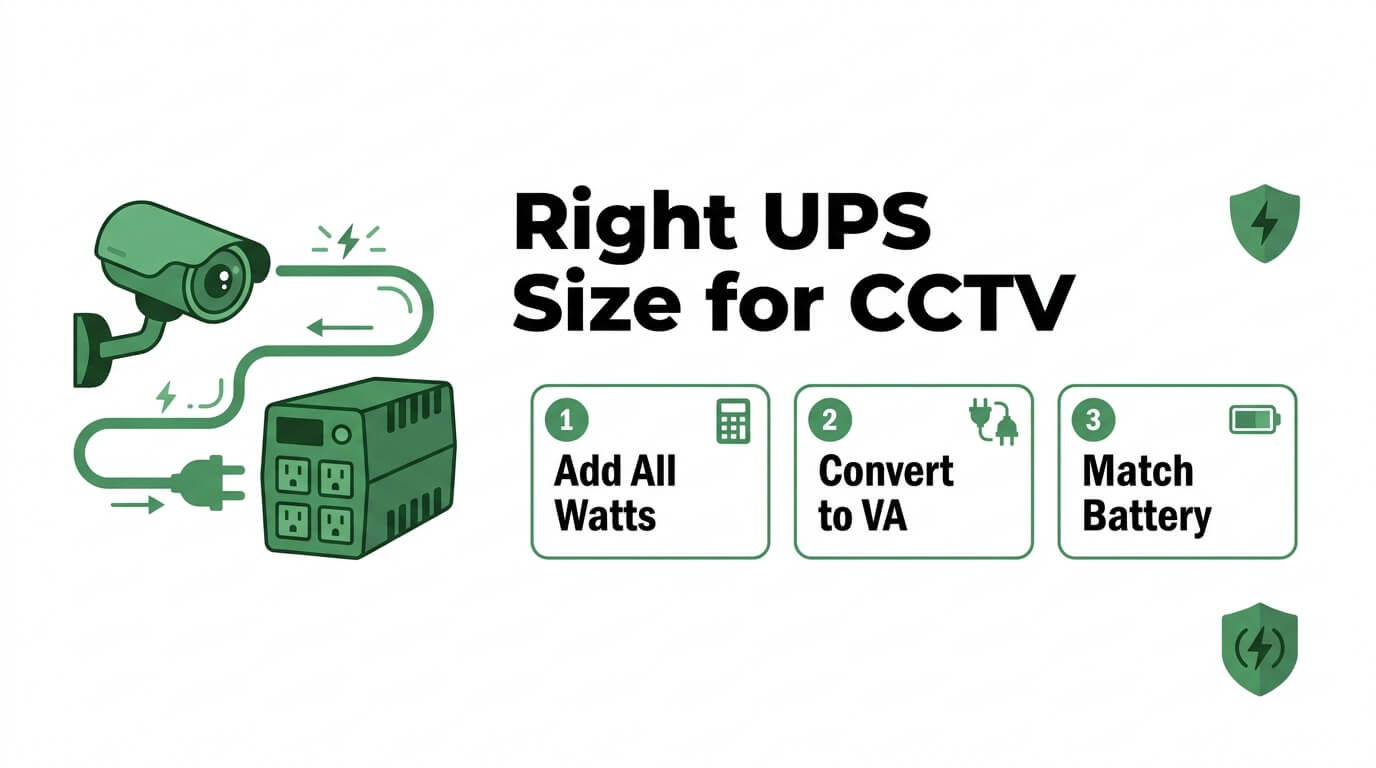
Calculating the right UPS size for CCTV and NVR power backup requires summing every device’s wattage, converting that total to a VA rating using the power factor, and matching battery capacity to your required runtime. An undersized UPS drains too quickly during an outage; an oversized unit wastes budget without added protection.
This guide covers power consumption by device type, total load calculation and VA conversion formulas, runtime benchmarks for residential through high-security sites, UPS topology selection, battery capacity matching, and common sizing mistakes to avoid.
Standard IP cameras draw 5W to 15W each, while PTZ and IR models can reach 30W to 60W. NVRs add 20W to 100W depending on channel count and drive configuration. These wide ranges make checking every device’s actual specifications essential before any calculation begins.
The core sizing formula divides total watts by the power factor (typically 0.6 to 0.8) to produce a VA rating, then multiplies by 1.2 to add a 20% safety margin for inrush current and future expansion. PoE systems require special attention because the switch’s own consumption must be included alongside the aggregate camera load it delivers.
Runtime needs vary significantly by site type. Small residential setups target 30 to 60 minutes, commercial sites aim for 30 minutes to 2 hours, and high-security facilities pair UPS units with redundant generators to eliminate single points of failure. Choosing between standby, line-interactive, and online double-conversion topologies determines how cleanly power transfers to battery during an outage.
Proper sizing is not a one-time task. Battery degradation, added cameras, and environmental conditions shift real-world performance over time, making periodic reassessment and proactive replacement critical to sustained surveillance coverage.
Why Does Your CCTV System Need a UPS for Power Backup?
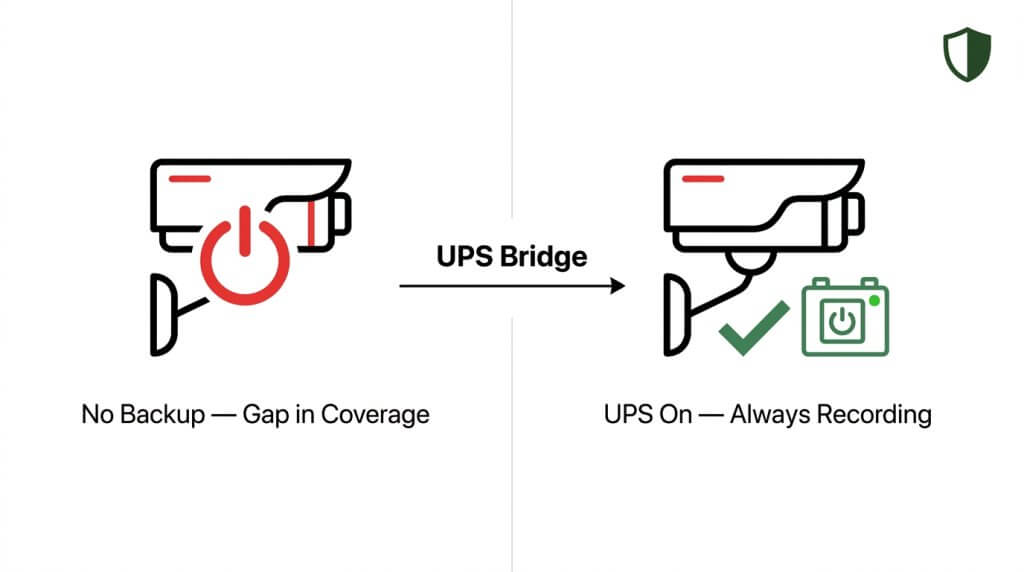
Your CCTV system needs a UPS for power backup because surveillance cameras stop recording the moment electricity fails, leaving your property unprotected during the exact conditions that increase security risk. Power outages caused by storms, grid failures, or electrical faults create blind spots in your security coverage precisely when threats are most likely. A UPS bridges the gap between a power loss and either restoration or generator activation, keeping cameras, NVRs, and network switches operational without interruption.
Small CCTV systems typically require 650–1000 VA UPS units to maintain operation, while larger surveillance installations often necessitate 2 kVA or higher capacity. According to mid-2025 data from POWER Magazine, 45% of U.S. utility customers experienced at least one power outage, with nearly half of these incidents attributable to extreme weather events. That frequency makes uninterruptible power more than a convenience; it is a fundamental requirement for continuous surveillance.
Without battery backup, even a brief outage can cause NVR recording settings to reset to defaults, potentially disabling recording even after power returns. A properly sized UPS prevents data loss, protects sensitive electronics from voltage spikes during power restoration, and ensures footage continuity. For systems relying on PoE switches, the UPS must also sustain the network infrastructure that delivers both data and power to each camera.
Sizing the UPS correctly matters just as much as having one. An undersized unit will drain too quickly, while an oversized unit wastes budget. Understanding your total power load, required runtime, and battery capacity is the foundation of effective UPS planning for any CCTV installation.
What Information Do You Need Before Sizing a UPS?
Before sizing a UPS, you need the power consumption of every device in your CCTV system, including cameras, recorders, and network equipment. The subsections below cover camera wattage by type, NVR and DVR power draw, and how to locate wattage ratings on your equipment.
What Is the Power Consumption of Common CCTV Camera Types?
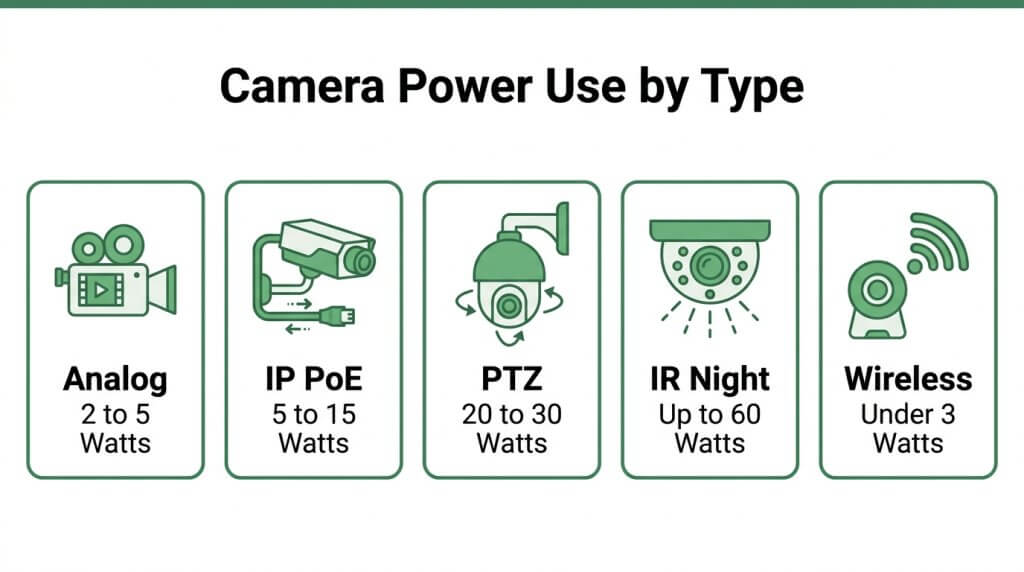
The power consumption of common CCTV camera types ranges from under 5W for basic analog models to 60W or more for advanced PTZ units. According to All Office Smarts, standard IP cameras typically consume between 5W and 15W per device, adhering to IEEE 802.3af (PoE) or IEEE 802.3at (PoE+) standards for power delivery over Ethernet. Because wattage varies so widely by camera type, checking each model’s specifications is essential before calculating total load.
Analog CCTV Cameras
Analog CCTV cameras consume between 2W and 5W per unit. These cameras draw power from a dedicated 12V DC or 24V AC adapter rather than through Ethernet cabling. Their low wattage makes analog systems the least demanding on a UPS, though the separate DVR and power supply units must also be factored into total load calculations.
IP PoE Cameras
IP PoE cameras consume between 5W and 15W per device. Power over Ethernet delivers both data and electricity through a single Cat5e or Cat6 cable, eliminating separate power adapters. Higher-resolution models with built-in analytics or heaters for outdoor enclosures tend to sit at the upper end of that range. When sizing a UPS for PoE cameras, the power draw of the PoE switch itself must be included alongside camera wattage.
PTZ Cameras
PTZ cameras consume significantly more power than fixed models due to their motorized pan, tilt, and zoom mechanisms. A standard PTZ unit draws between 20W and 30W under PoE+, while continuous patrol modes with high-speed rotation can push consumption higher. This elevated demand means even a small number of PTZ cameras can substantially increase total system load.
Infrared and Night Vision Cameras
Infrared and night vision cameras draw more power than standard fixed units because their IR LED illuminators activate in low-light conditions. According to a ResearchGate publication by Lester Shen on Power over Ethernet, high-power PoE devices such as PTZ cameras or those with advanced IR and night vision can require up to 30W under PoE+ or even 60W under UPoE depending on the illumination range and movement requirements. Wattage often fluctuates throughout the day as IR LEDs cycle on and off, so sizing calculations should use the peak draw rather than average consumption.
Wireless Battery-Powered Cameras
Wireless battery-powered cameras consume minimal grid power because they operate on internal rechargeable batteries. Typical standby draw sits below 3W, with brief spikes during motion-triggered recording or live streaming. Although these cameras place little direct demand on a UPS, their base station or hub still requires continuous power and should be included in load calculations.
What Is the Typical Power Draw of an NVR or DVR?
The typical power draw of an NVR or DVR ranges from 20W to 100W, depending on channel count, hard drive quantity, and processing load. A compact 4-channel unit with a single hard drive may consume as little as 20W, while a 32-channel enterprise NVR loaded with multiple surveillance-grade drives can approach 100W. According to Adept Power Solutions, a typical 8-channel IP camera system with an NVR generally requires a 1500VA UPS to provide approximately 18 to 24 minutes of runtime during a power failure. Since NVRs and DVRs run continuously and handle both recording and playback, their wattage represents a significant, constant portion of total system load. Recording settings on NVRs sometimes reset to defaults after outages, which can disable recording even when power returns; a properly sized UPS prevents this disruption entirely.
How Do You Find the Wattage Rating on Your Equipment?
You find the wattage rating on your equipment by checking the manufacturer’s label, product datasheet, or power adapter. Most CCTV cameras, NVRs, and PoE switches display wattage or amperage on a sticker located on the back or underside of the unit. If only amperage and voltage appear, multiply them together (Watts = Volts × Amps) to determine real power consumption. For PoE devices, the switch’s management interface often reports actual per-port power delivery, which provides a more accurate reading than nameplate ratings alone.
Understanding each device’s true wattage ensures the total load calculation that follows reflects real-world conditions.
How Do You Calculate Total Power Load for Your CCTV System?
You calculate total power load for your CCTV system by summing the wattage of every connected device, then converting that figure to a VA rating. The following subsections cover camera wattage, PoE switch draw, peripheral devices, and the watts-to-VA conversion formula.
How Do You Add Up Wattage for Multiple Cameras?
You add up wattage for multiple cameras by listing each camera’s rated power consumption and summing them together. Check the label or datasheet for each unit; fixed IP cameras, PTZ models, and IR-equipped cameras all draw different loads.
A practical approach follows these steps:
- Record the wattage for every camera from its manufacturer specifications.
- Multiply identical camera models by their quantity (e.g., 8 cameras × 12W = 96W).
- Add the subtotals for each camera type into one combined figure.
This combined camera wattage becomes the first component of your total power load calculation. Missing even one camera from the count can leave your UPS undersized, so verify every device on site before proceeding.
How Do You Account for PoE Switch Power Consumption?
You account for PoE switch power consumption by including both the switch’s internal operating draw and the total PoE output delivered to connected cameras. According to a Gabl Media analysis, the total power budget for PoE systems must factor in both the switch’s own consumption and the aggregate PoE load across all ports.
Most managed PoE switches consume 15W to 30W internally, separate from the power they distribute. To calculate accurately:
- Record the switch’s own rated wattage from its datasheet.
- Add the combined PoE draw of all connected devices.
- Sum both figures into a single PoE switch power total.
Overlooking the switch’s internal consumption is one of the most common reasons installers undersize a UPS for PoE-based surveillance systems.
How Do You Include Monitors and Peripheral Devices?
You include monitors and peripheral devices by adding each accessory’s wattage to your running total. Surveillance setups often rely on components beyond cameras and switches that still require uninterrupted power.
Common peripherals to account for include:
- Monitors: A 22-inch LCD security monitor typically draws 30W to 50W.
- NVR or DVR: Most units consume 50W to 120W depending on drive count and channel capacity.
- External hard drives: Expansion storage units add 10W to 25W each.
- Network routers or modems: These draw 10W to 20W and are essential for remote access.
Every watt matters. Excluding a single peripheral can shrink your actual backup runtime well below expectations.
What Formula Converts Total Watts to Required VA Rating?
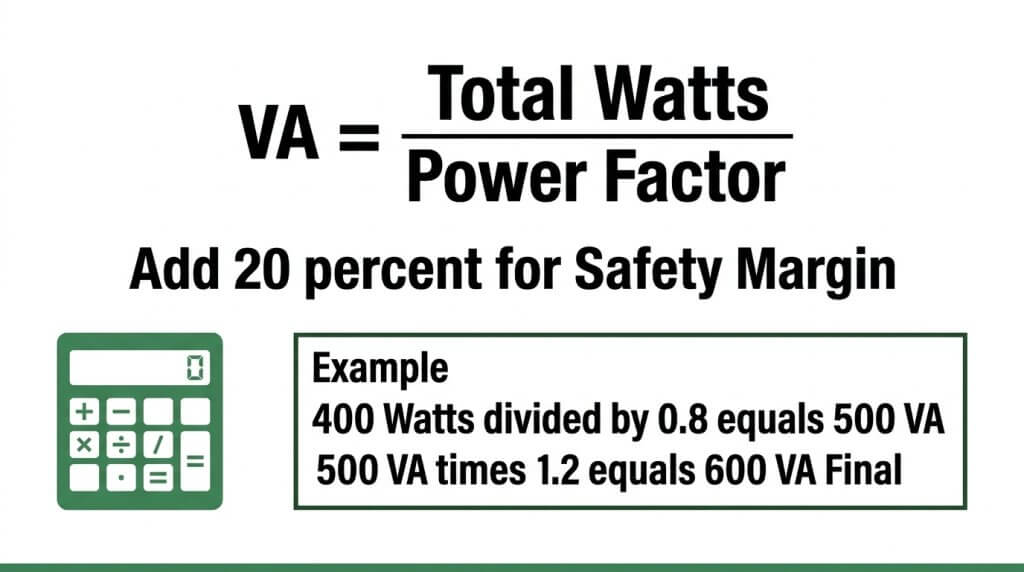
The formula that converts total watts to the required VA rating is: VA = Total Watts ÷ Power Factor. Typical UPS power factors range from 0.6 to 0.8, so a system drawing 400W with a 0.8 power factor requires 500 VA (400 ÷ 0.8).
Once you have the base VA figure, multiply it by 1.2 to add a 20% safety margin for inrush current and future expansion. According to Active Calculator, battery capacity in amp-hours is then derived using Ah = Wh ÷ V, which connects your VA rating to specific battery requirements.
For most CCTV installations, applying this formula with a conservative power factor of 0.7 to 0.8 produces the most reliable sizing result. With your total VA determined, the next step is establishing how long your UPS needs to sustain that load.
How Long Should a UPS Keep Your CCTV System Running?
A UPS should keep your CCTV system running long enough to either ride out a typical outage or transition to generator power. Required runtime depends on site type, risk level, and whether backup generation exists.
How Long Does a UPS Need to Last for a Small Residential Setup?
A UPS needs to last at least 30 to 60 minutes for a small residential setup. Most home power interruptions are brief, and this window covers the majority of grid fluctuations and short outages without losing recorded footage.
A typical residential system with four to eight IP cameras and a single NVR draws between 80W and 150W total. At that load, a 1500VA UPS can sustain recording for roughly 18 to 24 minutes, according to Adept Power Solutions. Stepping up to extended-battery models pushes runtime closer to the 30-to-60-minute target.
For homeowners without a backup generator, sizing toward the upper end of that range protects against the most common outage durations. Prioritizing continuous NVR recording over monitor uptime also stretches available runtime significantly.
How Long Does a UPS Need to Last for a Mid-Size Commercial Site?
A UPS needs to last at least 30 minutes to 2 hours for a mid-size commercial site, depending on generator availability. Commercial properties face higher stakes during outages because gaps in surveillance coverage can expose inventory, assets, and liability.
Sites equipped with an automatic transfer switch and standby generator need only enough UPS runtime to bridge the 10-to-30-second generator startup window; 5 to 15 minutes often suffices for that transition. Facilities without generators should target 1 to 2 hours of battery backup to maintain coverage through most utility restoration timelines.
Commercial systems with 16 to 32 cameras, PoE switches, and multi-bay NVRs can draw 500W to 1,200W collectively. At those loads, a 2kVA or 3kVA UPS with extended battery packs becomes necessary. Overlooking PoE switch consumption is one of the most common sizing errors at this scale.
How Long Does a UPS Need to Last for a High-Security Facility?
A UPS needs to last a minimum of 5 minutes for orderly shutdown or generator handoff at a high-security facility, with many installations targeting 2 to 8 hours of full autonomy. The Unified Facilities Criteria (UFC 4-021-02) requires electronic security system file servers to maintain no less than five minutes of UPS runtime to allow safe transition to backup generation.
High-security environments, such as government buildings, data centers, and critical infrastructure sites, rarely rely on UPS alone. These facilities pair online double-conversion UPS systems with redundant generators to eliminate any single point of failure. The UPS serves as a bridge, not the primary backup.
Total loads at this tier often exceed 2,000W across PTZ cameras, multi-channel NVRs, access control panels, and network infrastructure. Distributed UPS architecture, where separate units protect different subsystems, adds resilience when a single centralized unit would create unacceptable risk.
With runtime benchmarks established, choosing the right UPS topology ensures those targets are met reliably.
What UPS Type Is Best for CCTV and NVR Backup?
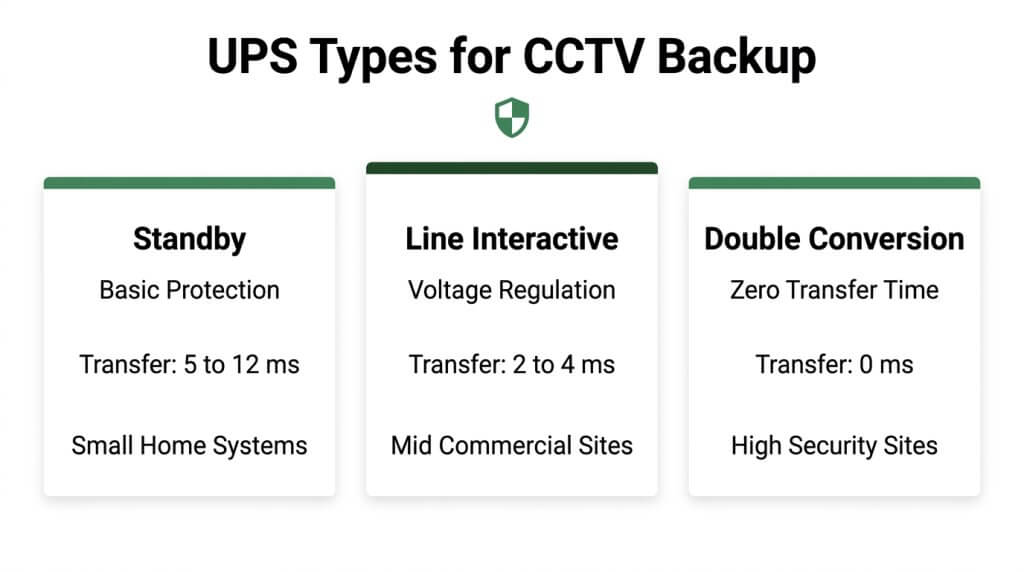
The best UPS type for CCTV and NVR backup depends on how critical your surveillance system is and how sensitive your equipment is to power fluctuations. The three main topologies are standby, line-interactive, and online double-conversion.
Standby UPS
A standby UPS is the most basic and affordable topology for CCTV backup. It runs connected equipment on standard utility power and switches to battery only when an outage occurs. This brief switchover introduces a small transfer time, typically 5 to 12 milliseconds. Most modern NVRs and IP cameras with switch-mode power supplies can ride through that delay without issue. However, standby units offer no voltage regulation during normal operation. For small residential setups with a few fixed cameras, a standby UPS provides adequate protection at the lowest cost.
Line-Interactive UPS
A line-interactive UPS adds automatic voltage regulation (AVR) to the standby design. AVR corrects voltage sags and surges without switching to battery, which extends battery lifespan. Transfer time is shorter than standby models, generally 2 to 4 milliseconds. This makes line-interactive units well suited for mid-size CCTV systems where voltage fluctuations are common but zero-interruption power is not strictly required. For most commercial surveillance installations with 4 to 16 cameras, a line-interactive UPS strikes the best balance between cost and protection. It handles the inconsistent power quality typical of older commercial buildings without the premium price of full double-conversion.
Online Double-Conversion UPS
An online double-conversion UPS continuously converts incoming AC power to DC and back to AC, so the connected load always runs on conditioned, inverter-supplied power. According to Eaton’s topology guide, online double-conversion systems provide zero transfer time to battery because the inverter is always powering the load. This eliminates any risk of momentary recording gaps during switchover. High-security facilities, large multi-camera deployments, and mission-critical NVRs benefit most from this topology. The trade-off is higher cost and greater energy consumption due to constant conversion. For CCTV systems where even a millisecond of downtime could mean a missed event, double-conversion is the only topology that guarantees uninterrupted power.
With the right topology selected, the next step is matching battery capacity to your required runtime.
How Do You Match Battery Capacity to Your Required Runtime?
You match battery capacity to your required runtime by calculating amp-hour needs from your total wattage and desired backup duration, then adjusting for battery voltage and a safety margin.
How Do You Calculate Amp-Hour Requirements From Wattage and Runtime?
You calculate amp-hour requirements from wattage and runtime by multiplying total system wattage by desired runtime hours to get watt-hours, then dividing by battery voltage. The formula is: Ah = (Watts × Runtime Hours) ÷ Battery Voltage. For example, a 300W CCTV system needing 2 hours of backup at 12V requires (300 × 2) ÷ 12 = 50 Ah of battery capacity.
According to the Unified Facilities Criteria (UFC 4-021-02), electronic security system file servers require a UPS runtime of no less than five minutes for orderly shutdown or generator transition. Most surveillance installations benefit from significantly longer runtimes, so calculating precise amp-hour needs prevents both undersizing and unnecessary expense.
How Does Battery Voltage Affect UPS Sizing?
Battery voltage affects UPS sizing by determining how many amp-hours are needed to deliver a given watt-hour capacity. Lower-voltage batteries require higher amp-hour ratings to store the same energy. A 12V battery must deliver twice the current of a 24V battery to supply identical wattage, which increases cable thickness requirements and potential efficiency losses.
Common UPS battery configurations include:
- 12V systems are typical in small residential CCTV setups with limited load.
- 24V systems suit mid-size commercial installations with moderate power demands.
- 48V systems support larger surveillance networks where higher efficiency and reduced current draw matter.
Selecting the right voltage tier early in the design process simplifies both capacity calculations and hardware compatibility.
Why Should You Add a Safety Margin to Your UPS Calculation?
You should add a safety margin to your UPS calculation because real-world power demands often exceed theoretical estimates. Inrush current from cameras powering on simultaneously, battery degradation over time, and future system expansion all increase actual load beyond baseline calculations.
According to Anker Solix, multiplying the total calculated VA by a 1.2 buffer (20% safety margin) accounts for inrush current and future expansion when sizing a UPS. This means a system calculated at 1,000 VA should be paired with a 1,200 VA UPS at minimum.
Skipping this buffer is one of the most common sizing errors in CCTV installations. Batteries lose capacity as they age, so what works on day one may fall short within two years.
With capacity properly matched, avoiding common sizing mistakes keeps your backup reliable long term.
What Are Common UPS Sizing Mistakes in CCTV Installations?
Common UPS sizing mistakes in CCTV installations include underestimating total power load, ignoring environmental factors, and neglecting future expansion. Avoiding these errors prevents unexpected system failures during outages.
- Sizing based on camera count alone. Total load must include NVRs, PoE switches, monitors, and all peripheral devices. Omitting any component leads to an undersized UPS that cannot sustain the full system.
- Ignoring the watts-to-VA conversion. Real power in watts and apparent power in VA are not the same. Skipping the power factor calculation (typically 0.6 to 0.8) results in a UPS rated too low for actual demand.
- Skipping a safety margin. Inrush currents at startup and future camera additions push load beyond initial calculations. Without a 20% buffer, the UPS operates at or above capacity from day one.
- Overlooking environmental conditions. According to UPS Solutions, common installation errors include choosing the wrong UPS size, poor cable management, and ignoring the environmental conditions of the installation location. Heat, humidity, and poor ventilation accelerate battery degradation and reduce actual runtime.
- Choosing the wrong UPS topology. A standby UPS with transfer delay can cause recording gaps, while a line-interactive or online double-conversion unit provides cleaner, faster switchover for sensitive surveillance equipment.
- Neglecting battery maintenance schedules. Lead-acid batteries lose capacity over time. Failing to test and replace aging cells means the rated runtime on paper no longer reflects real-world performance.
For most CCTV installations, the single costliest mistake is treating UPS sizing as a one-time calculation. Power needs shift as cameras are added, firmware updates change draw profiles, and batteries age. A properly sized UPS today can become inadequate within two years without periodic reassessment.
With sizing pitfalls addressed, the next consideration is whether a single centralized UPS can reliably support an entire multi-camera system.
Can You Use One UPS for an Entire Multi-Camera System?
Yes, you can use one UPS for an entire multi-camera system, but whether you should depends on system size, total load, and reliability goals. The choice comes down to centralized versus distributed UPS architecture.
A centralized UPS powers all cameras, NVR, switches, and peripherals from a single unit. According to Eaton, centralized UPS architectures offer higher efficiency and better management visibility, though they carry higher upfront costs compared to distributed setups. This single-point approach simplifies monitoring and reduces the total number of batteries to maintain.
However, a single UPS also creates a single point of failure. If that unit goes down, the entire surveillance system loses backup power simultaneously. For small residential setups with four to eight cameras, one properly sized UPS often makes practical sense. For larger commercial installations, the risk calculus changes significantly.
Distributed architecture places smaller UPS units at different points in the system, such as one for the NVR, another for the PoE switch, and separate units for remote camera clusters. This approach limits the blast radius of any single UPS failure, keeping portions of the system operational even when one unit needs service.
The right choice depends on several factors:
- System scale: Installations under ten cameras typically work well with a single centralized UPS.
- Critical coverage zones: Sites where specific camera zones must never go dark benefit from dedicated backup per zone.
- Maintenance access: A single UPS is easier to monitor and replace, while distributed units require tracking multiple battery lifecycles.
- Budget constraints: One larger UPS often costs less than several smaller units with equivalent total capacity.
For most mid-size systems, a hybrid approach works best: centralize backup for the NVR and core switch on one robust UPS, then add a secondary unit for any cameras or equipment located far from the main rack. This balances efficiency with fault tolerance.
Whichever architecture you choose, the total VA rating must still account for every connected device, including the 20% safety margin covered in earlier sizing calculations. Understanding PoE-specific power budgets helps refine that sizing further.
How Do You Size a UPS for a CCTV System That Uses PoE?
You size a UPS for a CCTV system that uses PoE by calculating the total power draw of the PoE switch, all connected cameras, and the NVR, then converting that combined wattage to a VA rating with an appropriate safety margin.
PoE systems require a different sizing approach than traditional camera setups because the PoE switch acts as a centralized power distribution point. Instead of accounting for individual camera power adapters, you must treat the switch as the primary load. This means the UPS must support the switch’s own internal consumption plus the full PoE output budget being delivered to every connected device.
Start by identifying the PoE switch’s maximum power budget in watts, which is listed on the switch’s datasheet. Add the NVR’s rated wattage. Then apply the standard conversion: divide total watts by the power factor (typically 0.6 to 0.8) to get the required VA rating. Multiply by 1.2 to include a 20% buffer for inrush current and future camera additions.
For runtime planning, the Unified Facilities Criteria (UFC 4-021-02) requires that electronic security system file servers maintain a UPS runtime of no less than five minutes, ensuring orderly shutdown or generator transition. Most PoE-based CCTV installations benefit from targeting 15 to 30 minutes of runtime, which accounts for typical utility restoration windows and provides enough time for backup generators to engage.
One consideration often overlooked: if the PoE switch loses power, every camera connected to it goes dark simultaneously. This single point of failure makes proper UPS sizing for PoE systems more consequential than sizing for individually powered cameras. Prioritizing an online double-conversion UPS eliminates transfer time gaps that could briefly interrupt PoE negotiation between the switch and cameras.
With PoE-specific sizing addressed, knowing when to upgrade or replace your backup UPS keeps protection reliable over time.
When Should You Upgrade or Replace Your CCTV Backup UPS?
You should upgrade or replace your CCTV backup UPS when battery health declines, system loads increase, or maintenance testing reveals performance gaps. Key replacement triggers include aging batteries, expanded camera counts, and failed runtime tests.
- Battery age exceeds 3–5 years: VRLA batteries degrade over time. According to IEEE Std 1188, recommended practice for maintenance, testing, and replacement of valve-regulated lead-acid batteries in stationary UPS applications provides the benchmark for scheduled replacement cycles.
- Runtime drops below your minimum threshold: If load tests show the UPS no longer delivers the required backup window, the battery or unit needs replacement.
- You have added cameras or devices since the original sizing: Additional PoE cameras, upgraded PTZ models, or new NVRs increase total wattage, often pushing the existing UPS past its rated capacity.
- The UPS triggers frequent alarms or fault indicators: Repeated overload warnings, audible alarms, or dashboard error codes signal internal component wear.
- Your facility has shifted to higher-power equipment: Upgrading from standard IP cameras to 4K or AI-enabled models raises per-device power draw significantly.
- Environmental conditions have changed: Elevated ambient temperatures accelerate battery degradation; relocating equipment to a cooler, ventilated space can extend life, but heavily degraded cells still require replacement.
Proactive replacement before total failure is always more cost-effective than recovering from a mid-outage UPS collapse. Many installers overlook this, but scheduling annual load tests is the single most reliable way to catch declining capacity before it compromises your surveillance coverage.
With UPS reliability secured, professionally monitored security can further reduce your dependence on extended battery backup.
How Can Professionally Monitored Security Reduce Your UPS Dependency?
Professionally monitored security can reduce your UPS dependency by shifting real-time threat detection from on-site hardware to cloud-connected AI systems and trained human operators. The following subsections cover how AI-powered monitoring complements backup strategies and summarize the key takeaways for UPS sizing.
Can AI-Powered Live Video Monitoring Complement Your CCTV Backup Strategy?
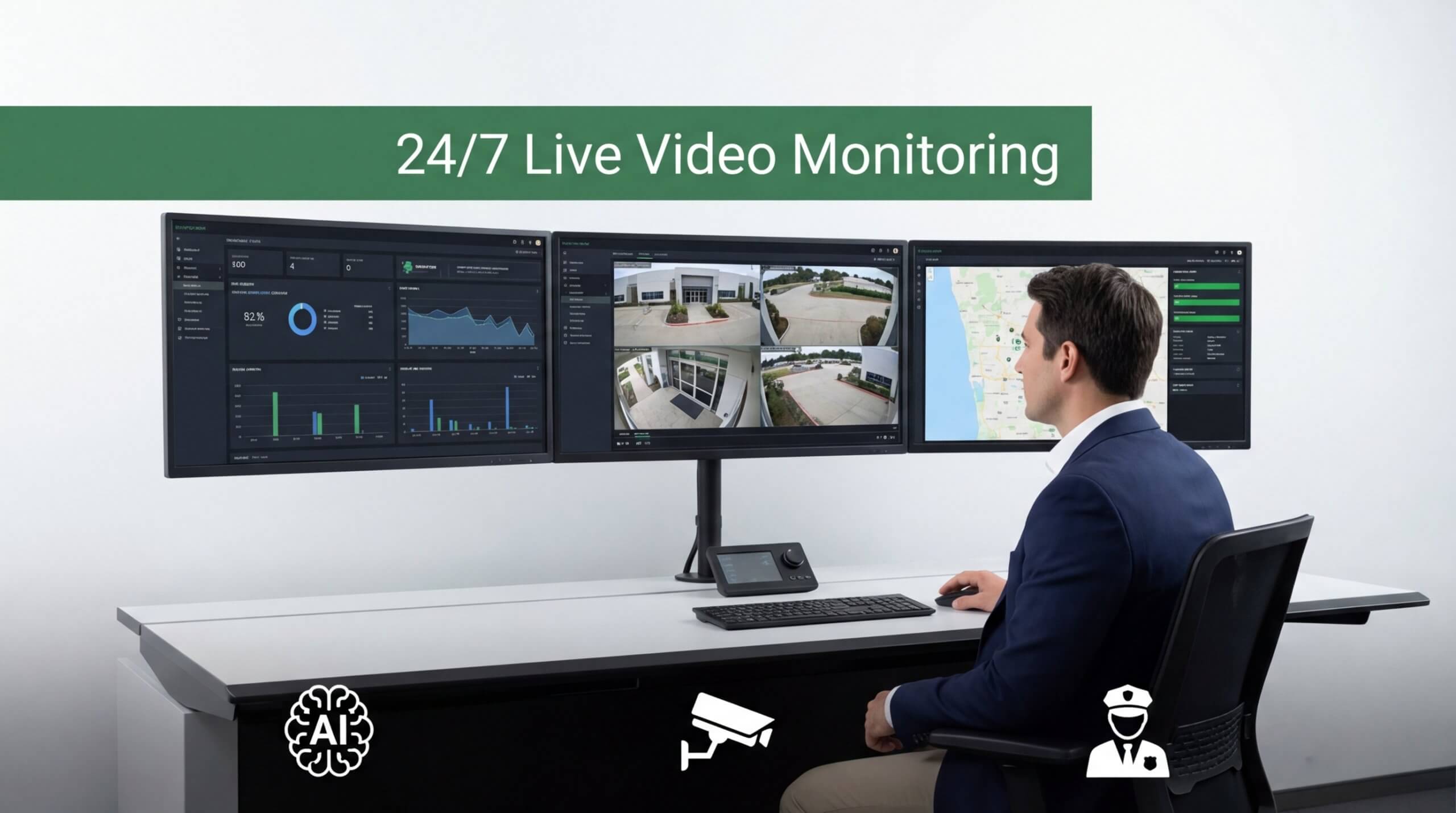
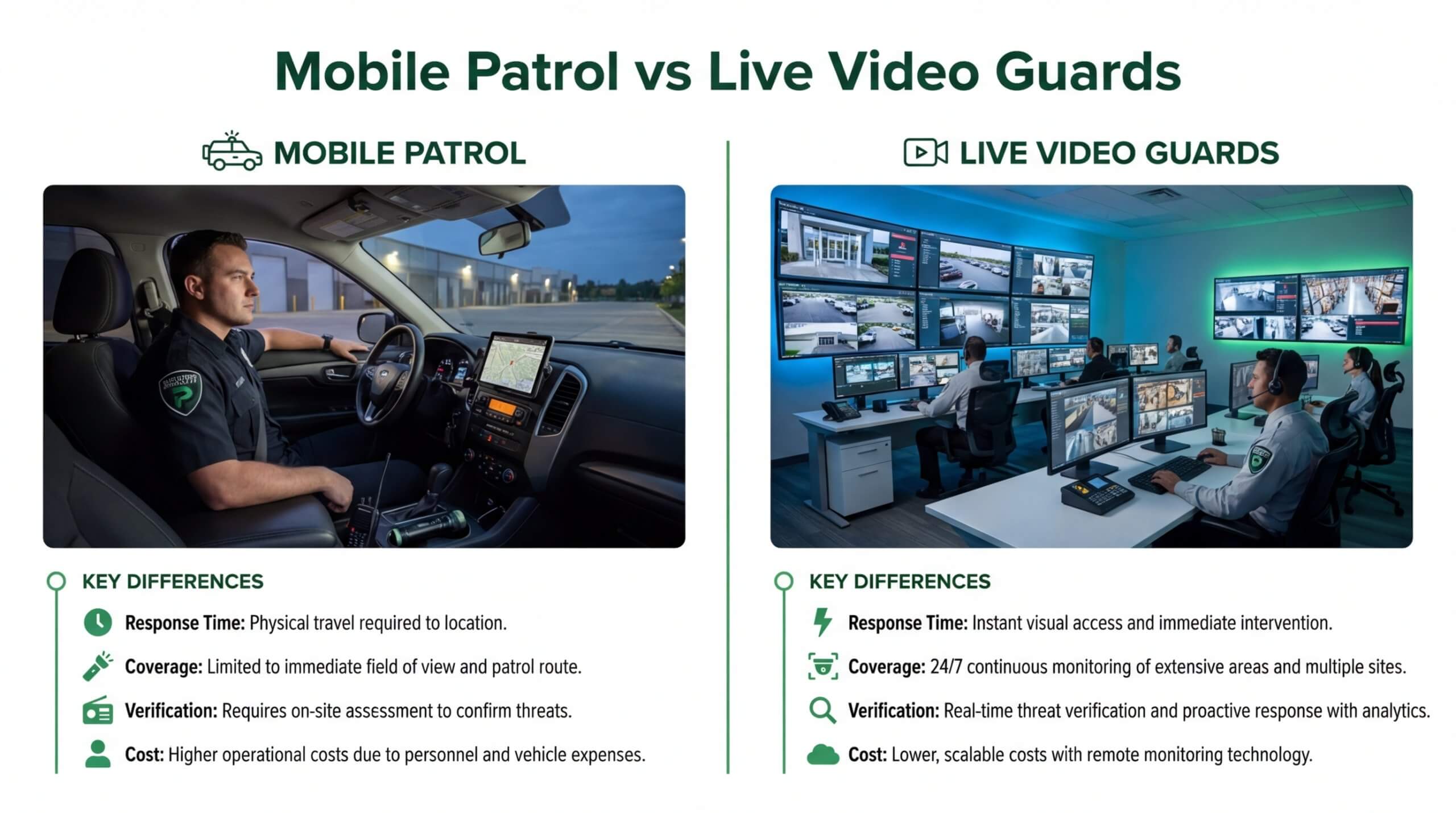
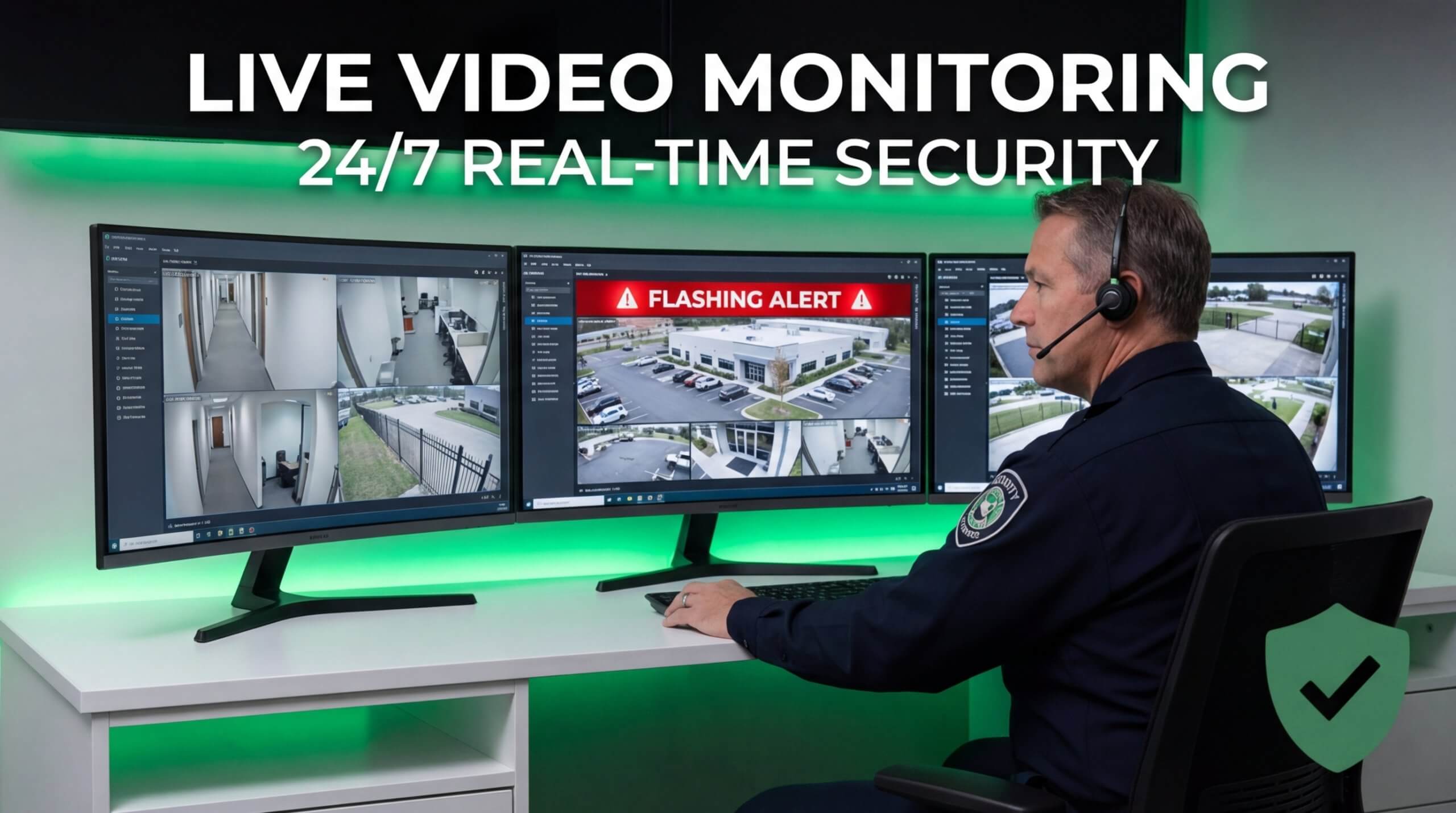
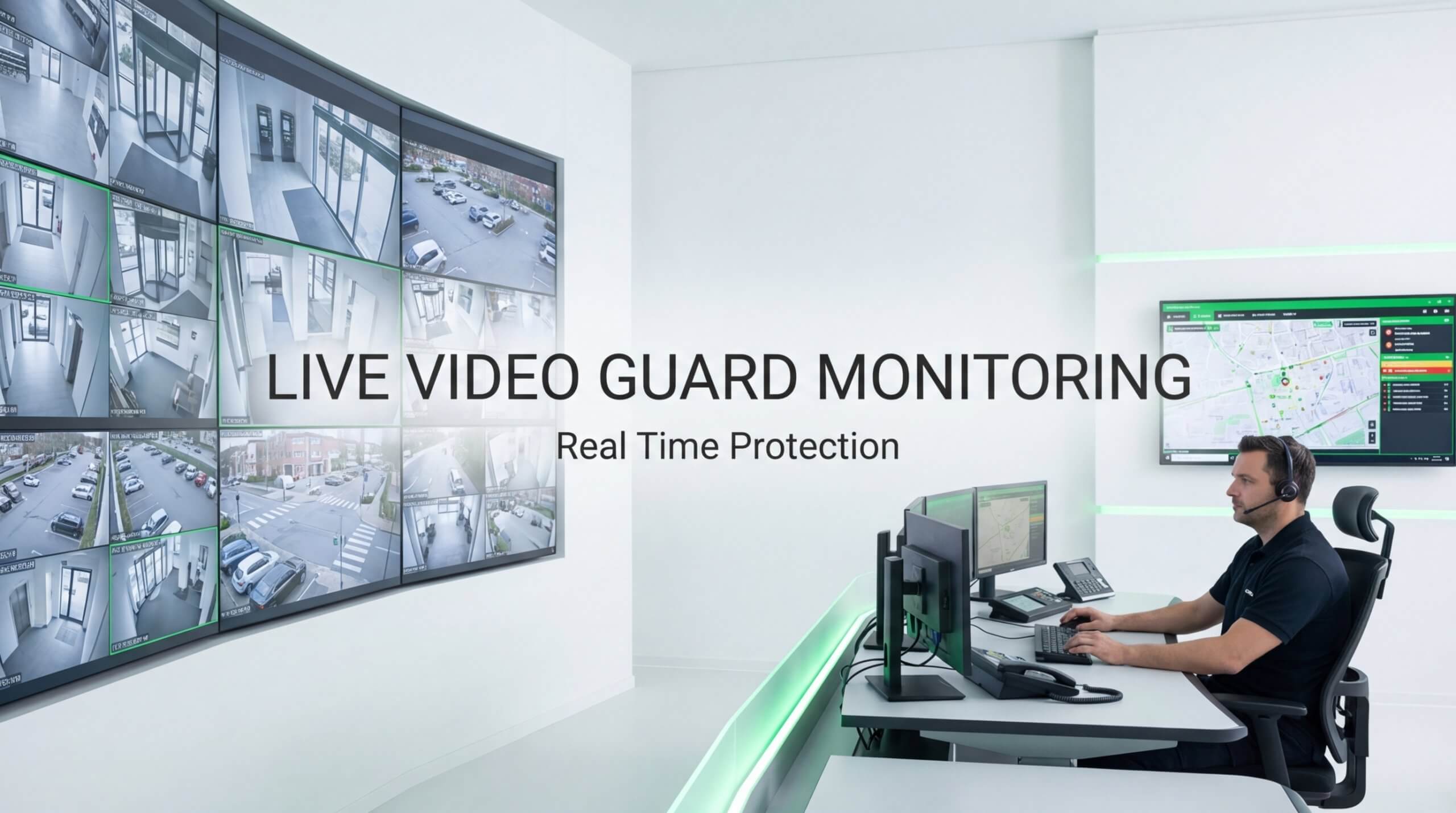
Yes, AI-powered live video monitoring can complement your CCTV backup strategy by adding a layer of real-time human intervention that does not rely solely on local recording equipment. When a power outage disables on-site NVRs, cloud-connected AI systems with offsite monitoring centers continue detecting and responding to threats. This means shorter required UPS runtimes, since the backup only needs to bridge the gap until personnel are alerted.
According to a 2025 report by VSPV, organizations adopting AI-powered surveillance solutions reported improved scalability, with the agentic AI video monitoring sector growing at a CAGR of 20.7% starting in 2024. Pioneer Security leverages this approach through AI-powered Live Video Guards stationed in US-based monitoring centers, using Nvidia GPU-driven threat detection and two-way audio to intervene in real time. For most sites, pairing even a modest UPS with professionally monitored AI surveillance provides stronger protection than oversizing battery backup alone.
What Are the Key Takeaways About Calculating UPS Size for CCTV and NVR Power Backup?
The key takeaways about calculating UPS size for CCTV and NVR power backup are:
- Total every device’s wattage, including cameras, NVRs, PoE switches, and peripherals, before selecting a UPS.
- Convert watts to VA using the formula VA = Watts ÷ Power Factor, then add a 20% safety margin for inrush current and future expansion.
- Match UPS topology to your security tier; online double-conversion units suit high-security sites, while line-interactive models work for smaller installations.
- Define your required runtime based on site risk, generator response time, or orderly shutdown needs.
- Factor in battery aging, environmental conditions, and replacement schedules to maintain reliable backup over time.
The FCC requires providers of residential voice services to offer at least eight hours of standby backup power for 911 connectivity during outages, illustrating how seriously regulators treat uninterrupted power for critical systems. Pioneer Security can help reduce the burden on UPS infrastructure by pairing properly sized battery backup with AI-powered live monitoring, ensuring your property stays protected even when the power does not.