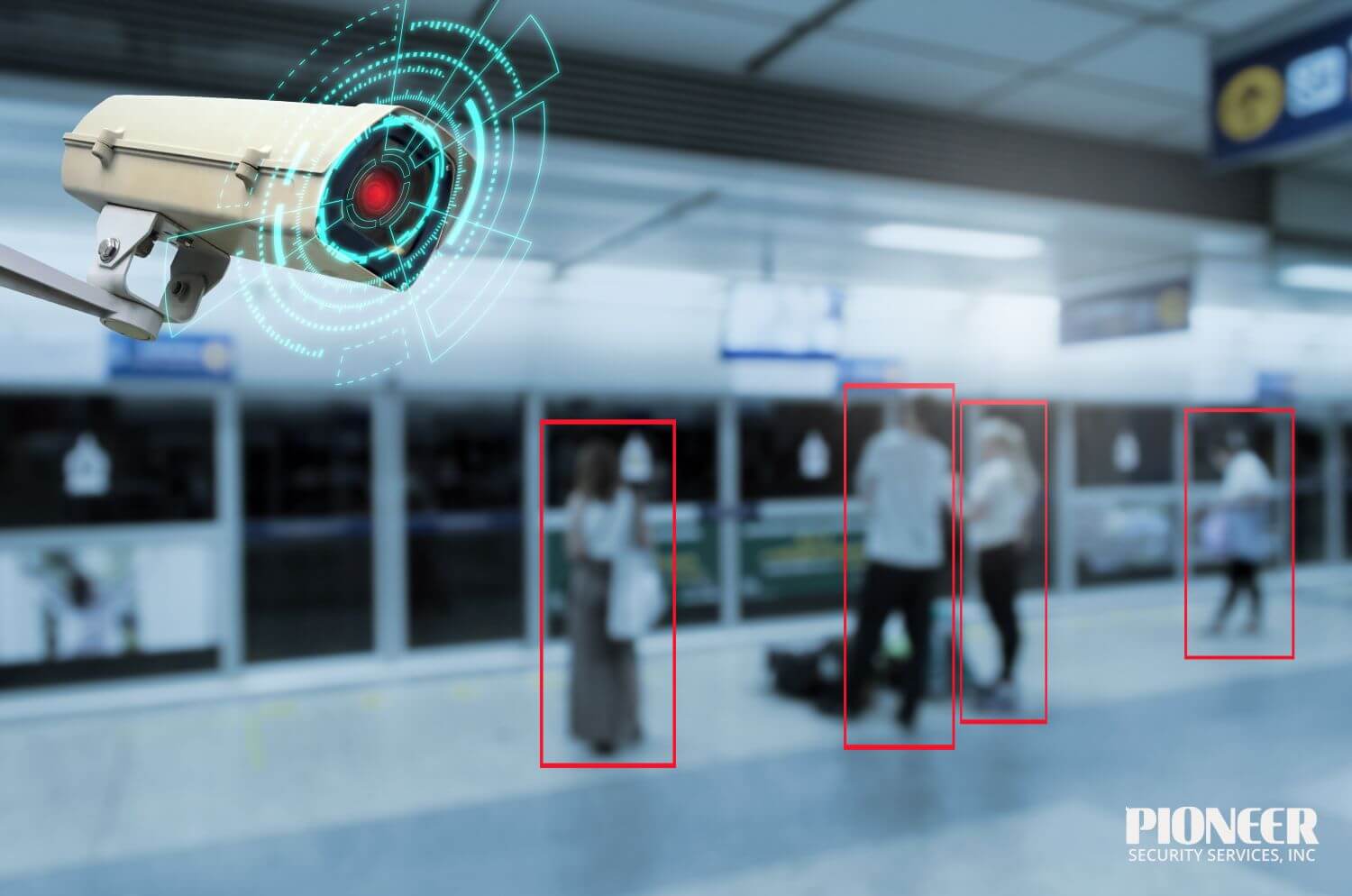
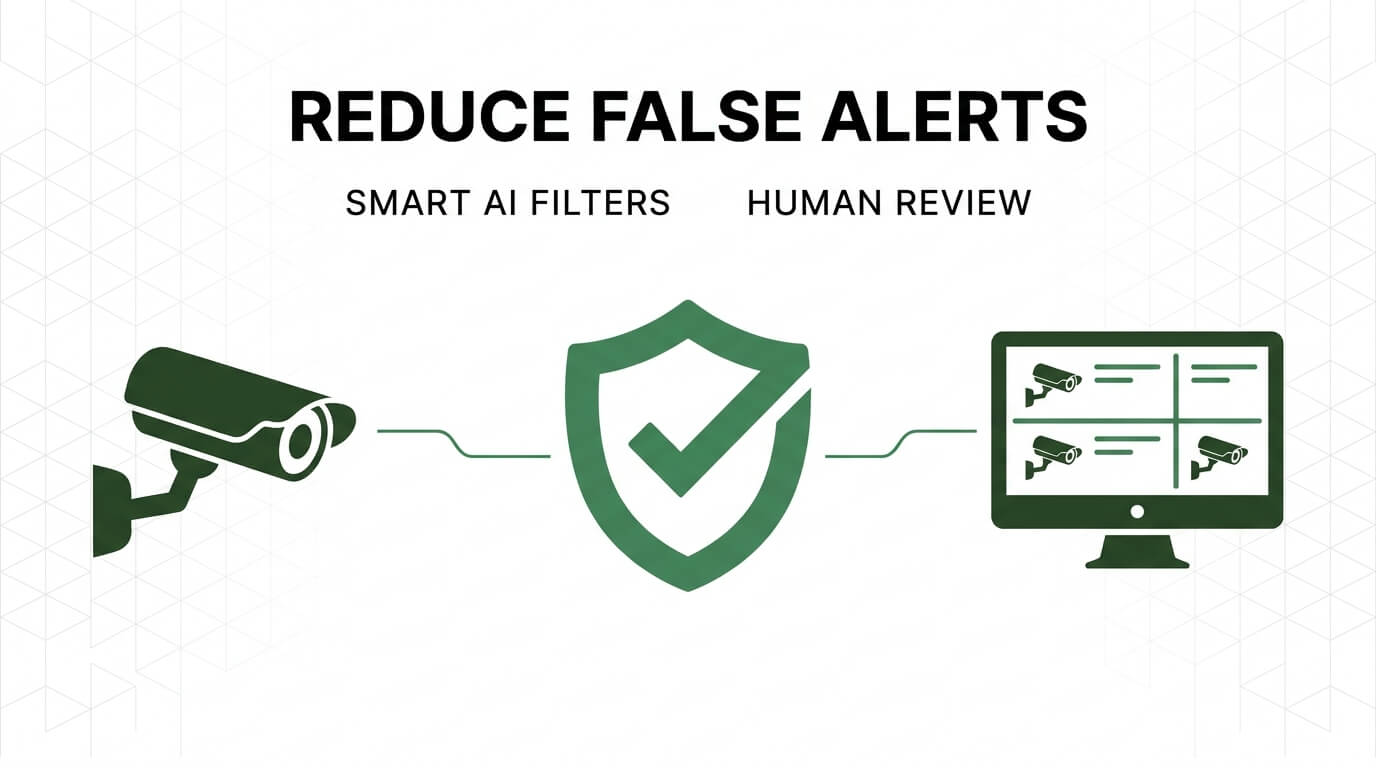
False alerts in live video monitoring are notifications triggered by non-threatening events, such as wind-blown branches, shifting shadows, or roaming wildlife, that security systems misidentify as genuine threats. With 90 to 99% of all security camera alerts classified as false in most deployments, reducing them is essential for effective monitoring operations.
This guide covers the causes and costs of false alerts, AI-powered filtering and its limitations, camera placement and motion zone configuration, environmental triggers, human verification methods, and ongoing maintenance practices.
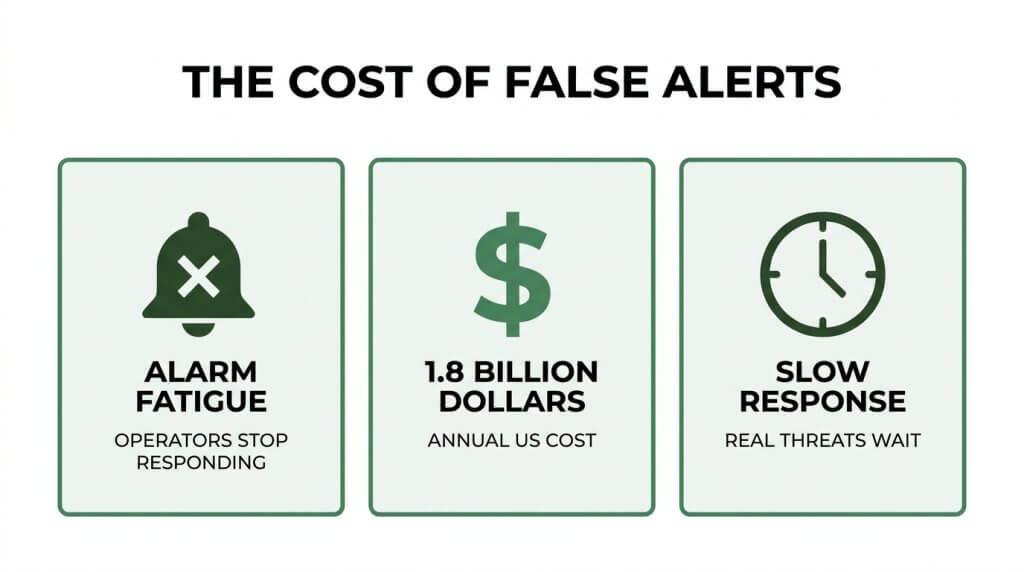
False alerts stem from both outdoor and indoor sources. Outdoor cameras contend with weather, wildlife, and reflective surfaces; indoor cameras react to HVAC airflow, pets, and lighting shifts. When left unchecked, these nuisance notifications create alarm fatigue, where operators begin dismissing all alerts, including real threats. The financial toll is equally severe, with U.S. false alarms costing an estimated $1.8 billion annually in emergency service resources and municipalities fining businesses for repeated false dispatches.
AI-powered object classification addresses much of this volume by categorizing detected motion into specific types (person, vehicle, animal) and only escalating genuine matches. However, AI alone struggles with edge cases, obscured figures, and context-dependent judgment, which is why hybrid workflows pairing automation with trained human review increase accuracy by roughly 27% over automated-only systems.
On the hardware side, strategic camera angles, consistent lighting, and custom detection zones with calibrated sensitivity settings prevent many false triggers at the source. Routine maintenance (lens cleaning, firmware updates, and seasonal recalibration) preserves these gains over time, stopping the gradual drift that degrades even well-configured systems.
What Are False Alerts in Live Video Monitoring?
False alerts in live video monitoring are notifications triggered by non-threatening events that security systems misidentify as genuine threats. Understanding their causes, both outdoors and indoors, helps distinguish them from the far more dangerous problem of missed alerts.
What Causes False Alerts in Outdoor Security Cameras?
False alerts in outdoor security cameras are caused by environmental motion that pixel-based detection systems cannot distinguish from genuine threats. Common outdoor triggers include:
- Wind-blown tree branches and shrubs swaying into the camera’s field of view
- Rain, snow, and fog creating moving visual noise across the frame
- Shadows shifting with sunlight, especially during sunrise and sunset
- Wildlife, insects, and birds passing close to the camera lens
- Headlights, reflective surfaces, and sudden lighting changes from passing vehicles
According to a 2015 report cited by SecurityWeek, organizations in the United States waste approximately $1.3 million per year dealing with erroneous alerts and false positive security notifications. For outdoor cameras specifically, these triggers compound because the environment is inherently dynamic and uncontrollable.
What Causes False Alerts in Indoor Security Cameras?
False alerts in indoor security cameras are caused by environmental changes within enclosed spaces that motion sensors interpret as threats. While indoor environments are more controlled than outdoor settings, they still produce frequent nuisance triggers, such as:
- HVAC airflow moving curtains, blinds, or lightweight signage
- Pets roaming through monitored areas
- Sudden lighting shifts from fluorescent flicker or automatic lights turning on
- Ceiling fans and rotating displays creating repetitive motion patterns
- Reflections from glass surfaces, mirrors, or polished floors
Indoor false alerts tend to follow predictable patterns tied to building schedules and mechanical systems. Identifying these patterns during initial camera setup makes them far easier to eliminate than their outdoor counterparts.
How Do False Alerts Differ From Missed Alerts?
False alerts differ from missed alerts in their direction of error: a false alert triggers a notification when no real threat exists, while a missed alert fails to notify when a genuine threat is present. Both undermine security, but in opposite ways.
A false positive alarm signals danger where there is none. A false negative alarm, by contrast, lets a real intrusion or emergency pass undetected. According to SafetyScope, false alarms account for 90 to 99% of all alerts generated by security camera systems in most deployments, eroding operator trust and causing real threats to be overlooked.
This erosion of trust is the critical link between the two problems. When operators face an overwhelming volume of false positives, they begin dismissing alerts reflexively, which increases the likelihood that a genuine event becomes a missed alert.
With the causes and distinctions of false alerts established, the next step is understanding why reducing them matters for security operations.
Why Is Reducing False Alerts Important for Security Operations?
Reducing false alerts is important for security operations because they drain budgets, exhaust monitoring staff, and slow emergency response. The sections below cover alarm fatigue, financial costs, and delayed dispatch times.
How Do False Alerts Lead to Alarm Fatigue?
False alerts lead to alarm fatigue by flooding security operators with so many non-threatening notifications that they begin ignoring or delaying responses to all alerts, including genuine threats. This sensory desensitization is well documented across industries. According to a 2019 ResearchGate publication on alarm fatigue, 72% to 99% of clinical alarms in healthcare settings are false, causing staff to become desensitized to critical notifications.
The same pattern affects video monitoring teams. When operators receive hundreds of nuisance alerts per shift triggered by animals, weather, or shadows, their attentiveness drops. Genuine intrusions risk being dismissed as another false trigger. For any organization relying on live video monitoring, alarm fatigue is arguably the single greatest threat to operational effectiveness.
What Is the Financial Cost of Frequent False Alerts?
The financial cost of frequent false alerts includes wasted labor, municipal fines, and misallocated emergency resources. False alarms in the United States cost an estimated $1.8 billion annually in emergency service resources, and individual municipalities often fine businesses nearly $150 per false dispatch. These penalties accumulate quickly for properties with poorly calibrated systems.
Beyond fines, each false alert consumes operator time that could be spent reviewing legitimate threats. Repeated dispatches also strain relationships with local law enforcement, potentially leading to deprioritized responses. Investing in false alert reduction consistently proves less expensive than absorbing the ongoing costs of unchecked nuisance alarms.
How Do False Alerts Affect Emergency Response Times?
False alerts affect emergency response times by diverting police, fire, and security personnel to non-events while real incidents wait. When dispatchers and officers repeatedly respond to locations known for false alarms, those sites may receive slower priority responses. According to a Volt AI report, a single swatting threat or false alarm incident can cost a school district between $78,000 and $1.4 million in lost instructional time and emergency response resources.
This resource drain extends beyond individual incidents. Departments overwhelmed by false dispatches have fewer units available for verified emergencies across the entire community. Reducing false alerts directly improves the speed and reliability of response when a genuine threat occurs, making verified monitoring an operational necessity.
What Role Does AI Play in Reducing False Video Monitoring Alerts?
AI plays a central role in reducing false video monitoring alerts by classifying objects, filtering non-threatening motion, and prioritizing genuine security events. The following sections cover how object classification works, how AI differentiates between people and other moving objects, and where AI-only filtering falls short.
How Does AI-Powered Object Classification Reduce False Alerts?
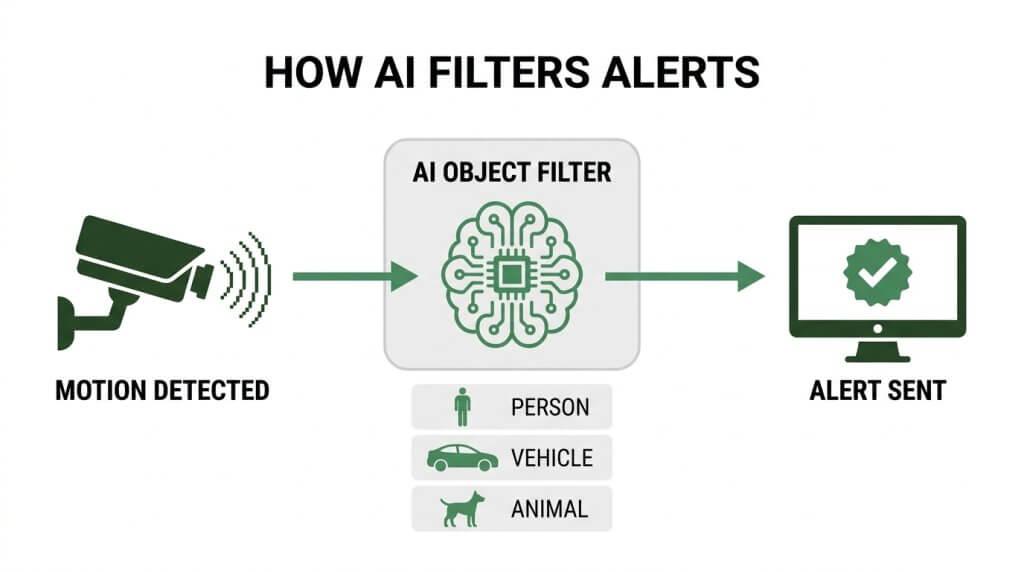
AI-powered object classification reduces false alerts by training deep learning models to categorize detected motion into specific object types before triggering a notification. Instead of treating all pixel changes as potential threats, the system assigns labels to moving shapes, such as person, vehicle, animal, or debris. Only objects matching predefined threat categories generate an alert.
This classification layer filters out the vast majority of irrelevant triggers at the source. Wind-blown branches, shifting shadows, and passing wildlife never reach a human operator. For security teams managing dozens of camera feeds, this distinction between “motion detected” and “threat identified” is what makes a monitoring system operationally viable rather than overwhelmingly noisy.
How Does AI Distinguish People From Animals or Vehicles?
AI distinguishes people from animals or vehicles by analyzing shape, size ratio, movement pattern, and thermal signature within each video frame. Human silhouettes have a distinct vertical aspect ratio and gait cycle that neural networks learn to recognize separately from four-legged animals or rigid vehicle outlines.
According to Wavestore, AI video analytics turn passive cameras into active threat detection systems by analyzing image content to identify specific objects like people or vehicles in milliseconds. This speed allows real-time filtering before any alert reaches a monitoring station. The practical result is that a deer crossing a parking lot or a delivery truck pulling through a gate no longer triggers the same response as an unauthorized person approaching a restricted area.
What Are the Limitations of AI-Only Alert Filtering?
The limitations of AI-only alert filtering include difficulty with edge cases, environmental interference, and context-dependent judgment. AI models can misclassify partially obscured figures, struggle with unusual lighting conditions, and lack the situational awareness to determine whether a detected person is an authorized employee or a trespasser.
Algorithms also degrade in performance when camera angles shift, lenses become dirty, or firmware falls behind. No classification model eliminates 100% of false positives without also increasing the risk of missed threats. This is precisely why the most effective security operations pair AI filtering with trained human verification, combining speed with judgment to catch what automation alone cannot.
How Does Camera Placement Help Minimize False Alerts?
Camera placement helps minimize false alerts by controlling what enters the camera’s field of view and reducing environmental triggers. The following subsections cover optimal angles, lighting considerations, and locations to avoid.
What Camera Angles Reduce Motion-Triggered False Alerts?
Camera angles that reduce motion-triggered false alerts are those that limit exposure to environmental movement and direct sunlight. Mounting cameras at a slight downward tilt narrows the detection zone, keeping distant traffic and swaying trees out of frame.
According to the Cabling Solutions Group, mounting cameras under eaves or soffits and using sun shields can reduce heat and glare, which are common triggers for false motion alerts during sunrise or sunset. Angling lenses away from the horizon also prevents passing headlights from sweeping across the sensor. For most properties, a 30- to 45-degree downward angle captures the target area without pulling in unnecessary background motion that floods operators with nuisance notifications.
How Does Lighting Affect False Alert Frequency?
Lighting affects false alert frequency by creating sudden pixel changes that motion sensors interpret as movement. Rapid shifts between bright light and shadow, particularly from passing clouds or flickering fixtures, generate the contrast spikes that trigger unnecessary notifications.
Infrared illuminators on cameras can also cause problems when positioned near reflective surfaces; the IR bounce registers as motion. Consistent, even lighting across the monitored area keeps pixel values stable and reduces false triggers. Shielded LED fixtures that cast uniform light without hotspots are preferable to unshielded bulbs. Properties that pair well-designed exterior lighting with properly aimed cameras typically see fewer overnight false alerts than those relying solely on camera-based IR.
Where Should You Avoid Placing Outdoor Security Cameras?
You should avoid placing outdoor security cameras in locations with high environmental variability. Several common placement mistakes lead directly to excessive false alerts:
- Directly facing busy public sidewalks or roadways where constant pedestrian and vehicle movement overwhelms detection zones.
- Pointed at reflective surfaces such as windows, metal siding, or pools that bounce light and infrared energy back into the lens.
- Near HVAC exhaust vents, where rising heat distorts the image and mimics motion.
- In areas with dense foliage that sways in wind, creating continuous pixel changes.
- Under unshielded light sources that cast moving shadows across the camera’s field of view.
Prioritizing stable, controlled sight lines during installation prevents many false alert issues before they begin, making software-side tuning far more effective.
How Should You Configure Motion Detection Zones to Prevent False Alerts?
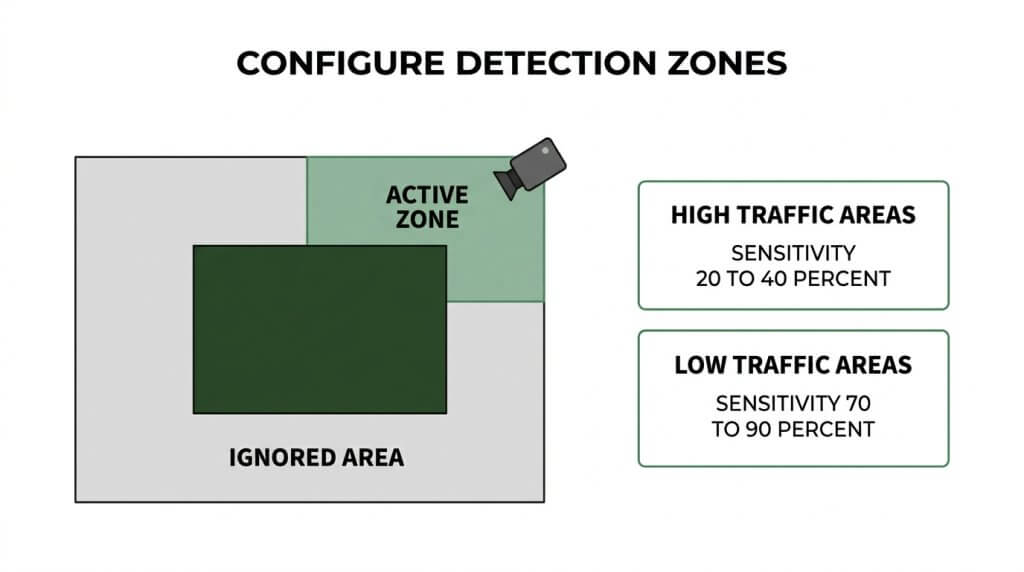
You should configure motion detection zones by drawing custom boundaries around areas that matter, then adjusting sensitivity levels based on each zone’s traffic patterns. The subsections below cover custom zone setup, high-traffic settings, and low-traffic settings.
How Do Custom Detection Zones Eliminate Irrelevant Triggers?
Custom detection zones eliminate irrelevant triggers by restricting the camera’s alert area to only the regions where unauthorized activity would actually matter. Instead of monitoring the entire field of view, you define specific boundaries, such as entry points, parking lots, or restricted corridors, so movement outside those zones is ignored completely.
This approach filters out predictable motion sources before they ever reach the alert system:
- Busy sidewalks or public roads adjacent to your property
- Tree canopies and landscaping that sway in wind
- Neighboring driveways with routine vehicle traffic
For most commercial properties, I find that spending 15 minutes mapping custom zones during initial setup prevents more false alerts than any other single adjustment.
What Sensitivity Settings Work Best for High-Traffic Areas?
The sensitivity settings that work best for high-traffic areas are lower values on the detection scale. According to Avigilon’s technical documentation, sensitivity settings in motion detection determine the amount of pixel change required before an alert is triggered, with higher sensitivity requiring fewer changing pixels to activate. In busy environments like retail entrances or loading docks, high sensitivity would generate constant alerts from routine foot traffic.
Setting sensitivity between 20% and 40% ensures only large, sustained movements trigger notifications. Pairing reduced sensitivity with object-size filters helps the system ignore small, expected motion while still catching genuine intrusions.
What Sensitivity Settings Work Best for Low-Traffic Areas?
The sensitivity settings that work best for low-traffic areas are higher values, typically between 70% and 90% on the detection scale. Because these zones see minimal routine movement, any motion is potentially significant and warrants investigation.
Warehouses after hours, fenced perimeters, and restricted storage areas benefit from elevated sensitivity since even subtle pixel changes could indicate unauthorized access. The tradeoff is a slightly higher chance of environmental triggers from shadows or small animals, so combining high sensitivity with AI-based object classification produces the best balance. With detection zones properly tuned, the next consideration is which environmental factors most commonly generate false alerts.
What Environmental Factors Trigger False Alerts Most Often?
Environmental factors that trigger false alerts most often include weather conditions, shifting sunlight patterns, and wildlife activity. Each creates distinct pixel changes that motion detection systems interpret as threats.
How Do Weather Conditions Like Wind and Rain Cause False Alerts?
Weather conditions like wind and rain cause false alerts by creating rapid visual changes within the camera’s field of view. Wind moves tree branches, flags, and debris across detection zones, generating pixel shifts that motion sensors register as intrusion events. Rain produces similar disruptions; falling droplets scatter infrared light and create surface reflections that confuse detection algorithms.
According to First County Monitoring, nuisance alarms are triggered by non-threatening events such as animals, insects, weather factors like wind and rain, moving tree branches, shadows, or sudden light changes. Positioning cameras away from reflective surfaces such as windows or large metallic objects also helps prevent IR reflection triggers during storms. For most outdoor installations, combining weather-resistant housings with properly tuned sensitivity thresholds addresses the majority of weather-related false alerts.
How Do Shadows and Shifting Sunlight Trigger False Motion Alerts?
Shadows and shifting sunlight trigger false motion alerts by producing gradual contrast changes that cross pixel-change thresholds in motion detection zones. As the sun moves throughout the day, shadows from buildings, fences, and landscaping shift across the camera’s field of view. Sunrise and sunset create the most problematic conditions because low-angle light generates long, fast-moving shadows and direct glare.
Cameras facing east or west experience the highest rates of sunlight-related false triggers. Mounting cameras under eaves or using sun shields reduces heat and glare exposure during these peak periods. Adjusting detection sensitivity slightly lower during dawn and dusk, or excluding shadow-prone areas from active zones, provides effective mitigation without sacrificing overall coverage.
How Do Wildlife and Insects Cause Nighttime False Alerts?
Wildlife and insects cause nighttime false alerts by moving directly through detection zones, often attracted to the infrared illumination that security cameras emit. Spiders frequently build webs across camera lenses, and flying insects swarm near IR LEDs, creating large, close-range motion signatures that dominate the frame.
Larger animals such as raccoons, deer, and stray cats trigger ground-level detection zones with enough pixel displacement to generate alerts. Keeping vegetation trimmed around camera mounting points reduces perching surfaces for insects and limits the pathways animals use to approach the lens. AI-powered object classification can further separate animal silhouettes from human forms, though nighttime thermal contrast makes smaller creatures harder to filter reliably.
With environmental triggers identified, proper human verification ensures these nuisance events never reach dispatch.
How Does Human Verification Reduce False Alert Rates?
Human verification reduces false alert rates by adding a trained professional who confirms whether an automated alert represents a genuine threat before any response is dispatched. This section covers why real-time human review outperforms automation alone and how trained video guards filter nuisance alerts.
Why Is Real-Time Human Review More Accurate Than Automated Alerts?
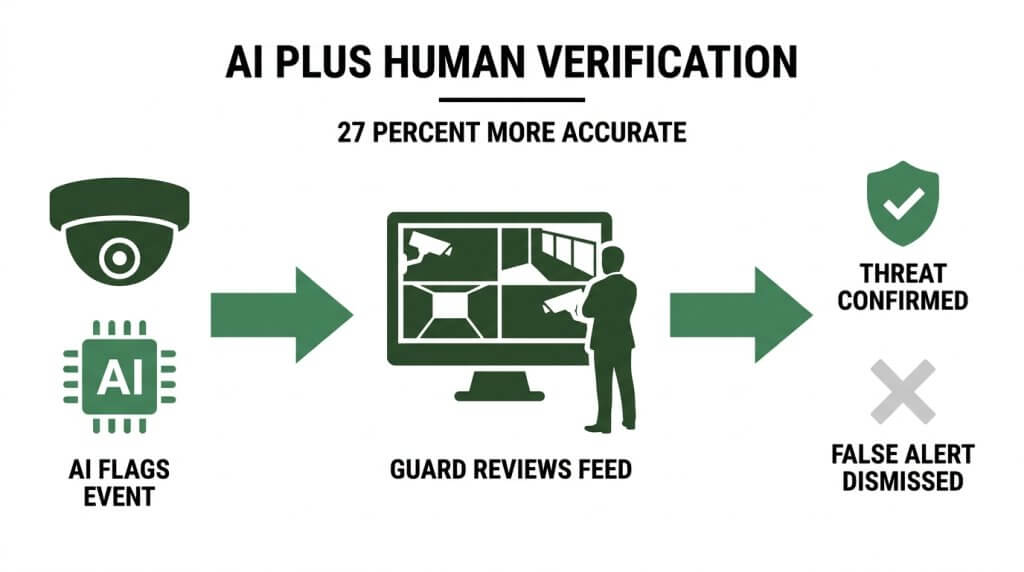
Real-time human review is more accurate than automated alerts because trained operators apply contextual judgment that software cannot replicate. A camera may flag a plastic bag caught on a fence as motion; a human instantly recognizes it as harmless. According to a study published by Al-Kindi Publishers in the Journal of Computing and Smart Systems, hybrid workflows that combine AI automation with human judgment can increase task accuracy by approximately 27% compared to automated-only systems.
This accuracy gap exists because humans evaluate variables like intent, body language, and environmental context simultaneously. Automated systems detect pixel changes, but only a person can determine whether those changes signal a legitimate security event. The verified response policy, now adopted by many municipalities, reflects this reality by requiring audio, video, or human confirmation of a crime in progress before police will respond.
How Do Trained Video Guards Filter Nuisance Alerts?
Trained video guards filter nuisance alerts by visually assessing each flagged event in real time and dismissing triggers caused by animals, weather, shadows, or debris. When AI flags motion, the video guard reviews the live feed, evaluates the source, and decides within seconds whether escalation is warranted.
This process eliminates the vast majority of false dispatches. Rather than forwarding every automated alert to law enforcement, video guards act as a critical checkpoint. They confirm whether a person is actually present, assess behavior patterns, and only escalate verified threats. For most businesses, this human layer is the single most effective way to prevent fines from false dispatches while ensuring genuine incidents receive immediate attention.
With human verification protocols established, consistent system maintenance ensures these accuracy gains hold over time.
What Maintenance Practices Help Keep False Alerts Low?
Maintenance practices that help keep false alerts low include routine cleaning, firmware updates, and system calibration. These three areas address the physical, software, and configuration factors that cause detection errors over time.
How Often Should Security Cameras Be Cleaned and Inspected?
Security cameras should be cleaned and inspected at least once per quarter, with monthly checks recommended for outdoor units exposed to harsh conditions. Dust, cobwebs, moisture, and debris accumulate on lenses and housings, distorting the image and triggering false motion events.
A practical inspection schedule covers:
- Wiping lenses with a microfiber cloth to remove grime and water spots.
- Clearing cobwebs and insect nests from IR sensors and housings.
- Checking mounting brackets for looseness caused by wind or vibration.
- Verifying that weatherproof seals remain intact.
Neglecting these basics is one of the most common reasons facilities see a gradual rise in nuisance alerts that no software update can fix.
When Should You Update Camera Firmware to Improve Detection?
You should update camera firmware whenever the manufacturer releases a new version, and you should check for updates at least quarterly. Firmware patches refine motion detection algorithms, fix known bugs, and close security vulnerabilities that can destabilize system behavior.
According to a publication by Brightwood et al. on ResearchGate, regular firmware security updates for older video surveillance systems are critical to reducing vulnerabilities and preventing system errors that can lead to false detections. Outdated firmware often lacks improved object classification logic present in newer releases; skipping updates means the camera relies on inferior detection models that confuse shadows, swaying foliage, or small animals with genuine threats.
How Does Regular System Calibration Reduce Alert Errors?
Regular system calibration reduces alert errors by realigning detection zones, sensitivity thresholds, and camera angles to match current site conditions. Environments change: new landscaping grows into a camera’s field of view, seasonal sun angles shift, and nearby construction alters traffic patterns. Without recalibration, settings optimized months earlier produce increasingly inaccurate alerts.
Calibration tasks include:
- Resizing motion detection zones to exclude new environmental triggers.
- Adjusting sensitivity levels based on seasonal lighting changes.
- Confirming that camera angles still cover intended areas after any physical shift.
According to Magnasphere, sending a technician to diagnose a miscalibrated camera typically costs between $150 and $400 per service visit. Scheduling proactive calibration twice a year is far more cost-effective than reacting to mounting false alerts after the fact.
With maintenance routines established, integrating these practices into an AI-powered monitoring strategy maximizes long-term accuracy.
How Can You Approach False Alert Reduction With AI-Powered Live Video Monitoring?
You can approach false alert reduction with AI-powered live video monitoring by combining intelligent analytics with trained human oversight. The following sections cover how US-based video guards paired with AI eliminate false alerts and the key takeaways for effective monitoring.
Can US-Based Video Guards and AI Technology Help Eliminate False Alerts?
Yes, US-based video guards and AI technology can help eliminate false alerts by creating a layered verification system. AI-powered video analytics analyze image content to identify specific objects like people or vehicles in milliseconds, filtering out non-threatening motion before it reaches a human operator. When AI flags a potential event, a trained US-based video guard reviews the feed in real time, confirming or dismissing the alert with contextual judgment no algorithm alone can replicate. According to GenX Security, AI-powered monitoring slashes escalated false alarms by 59% and delivered ROI to over 85% of users within a single year. For most properties, this hybrid model represents the most reliable path to near-zero nuisance alerts.
What Are the Key Takeaways About Reducing False Alerts in Live Video Monitoring?
The key takeaways about reducing false alerts in live video monitoring center on a multi-layered strategy:
- AI-powered object classification filters environmental noise, such as animals, shadows, and weather, before alerts reach operators.
- Strategic camera placement and properly configured motion detection zones prevent triggers from irrelevant activity.
- Regular maintenance, including cleaning, firmware updates, and calibration, keeps detection accuracy high over time.
- Human verification by trained video guards adds contextual judgment that catches what automation misses.
- Combining AI with US-based live monitoring delivers the strongest reduction in false alerts while preserving fast response to genuine threats.
No single adjustment solves the problem. The most effective approach layers smart technology, disciplined system upkeep, and professional human oversight into one unified workflow. Pioneer Security combines AI-powered analytics with US-based live video guards to help clients minimize false alerts and maintain reliable, proactive protection.